Key Takeaways
WhatsApp Web is a browser-based version of WhatsApp that allows users to send and receive messages on a computer by syncing with their mobile account.
WhatsApp App is suitable for mobile, everyday communication. WhatsApp Web is a better solution for faster typing, multitasking, and productivity on desktop.
Simply go to WhatsApp Web on your browser, scan the QR code/using your phone to log in, and start the webchat once your account is synced.
Integrating WhatsApp with conversational CX platform provides a unified inbox for businesses to manage high-volume messages from multiple contacts efficiently. And advanced features such as automation, team management, CRM analytics help improve response speed, reduce manual workload, and deliver a more consistent customer experience across all channels.
What is WhatsApp Web?
WhatsApp Web was officially launched on January 21, 2015, as an extension of WhatsApp that allows users to access their mobile chats via a browser. The web client mirrors conversations and messages from your mobile device in real time. This means all your messages still live on your phone, while the browser acts as a synchronized interface for viewing and replying to chats, ensuring that your conversations remain secure and consistent across devices.
Key Features:
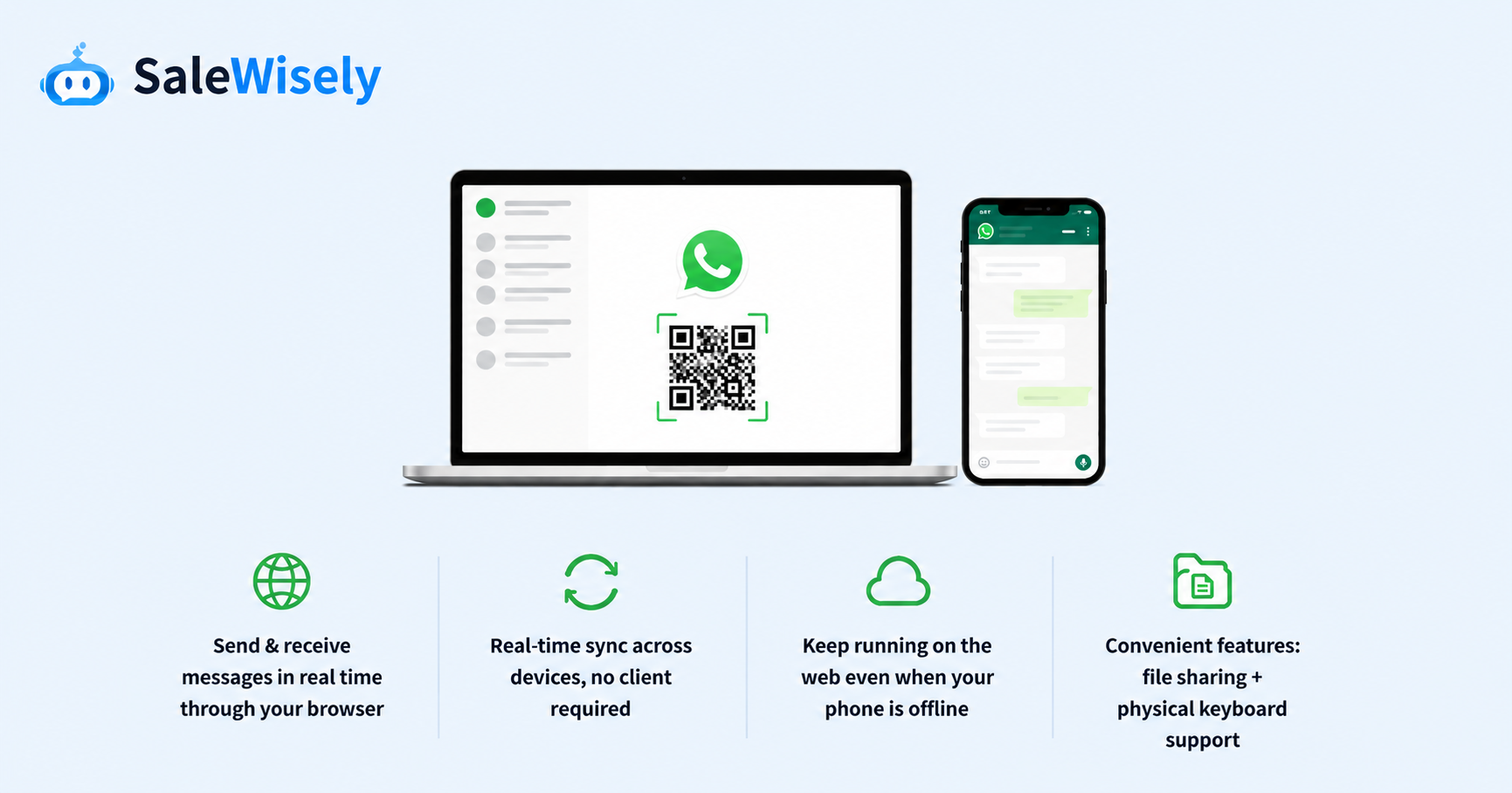
No software required: Runs instantly in any modern web browser (e.g. Chrome, FireFox, Microsoft Edge) without downloading mobile/desktop applications.
Sending and receiving messages instantly from a browser, real-time chat synchronization between WhatsApp App and WhatsApp Web client.
File sharing: Easily drag and drop documents, photos, and videos (up to 2GB) directly into chats.
Full keyboard access: Type and reply much faster using a physical keyboard.
Use WhatsApp on your computer even when your phone is offline or not actively connected
WhatsApp Web vs. WhatsApp App: What is the Right Strategy for Your Business?
WhatsApp offers both a mobile/desktop app and browser-based web client, but each comes with different strengths and limitations depending on how your team works.
How does WhatApp Web matter?
Easy to access
WhatsApp Web allows users to log in directly from any browser without installing additional applications, making it a fast and lightweight solution for instant communication.Increased productivity
Users can quickly switch between conversations, manage multiple chats at once, and keep important chats organized by pinning or prioritizing them. This makes it ideal for high-volume communication environments.Flexible workspace
With a larger screen, multi-tab browsing, full keyboard (Web shortcuts) and mouse support, WhatsApp Web provides a more flexible and comfortable working environment compared to mobile devices.Improved collaboration
WhatsApp Web makes team communication easier by enabling group chats, real-time coordination, and seamless sharing of files, documents, and links.
WhatsApp Web vs. WhatsApp App: Full comparison
How to Use WhatsApp Web on Your Computer? (2026 Guide)
Step 1: Go to web WhatsApp on your browser
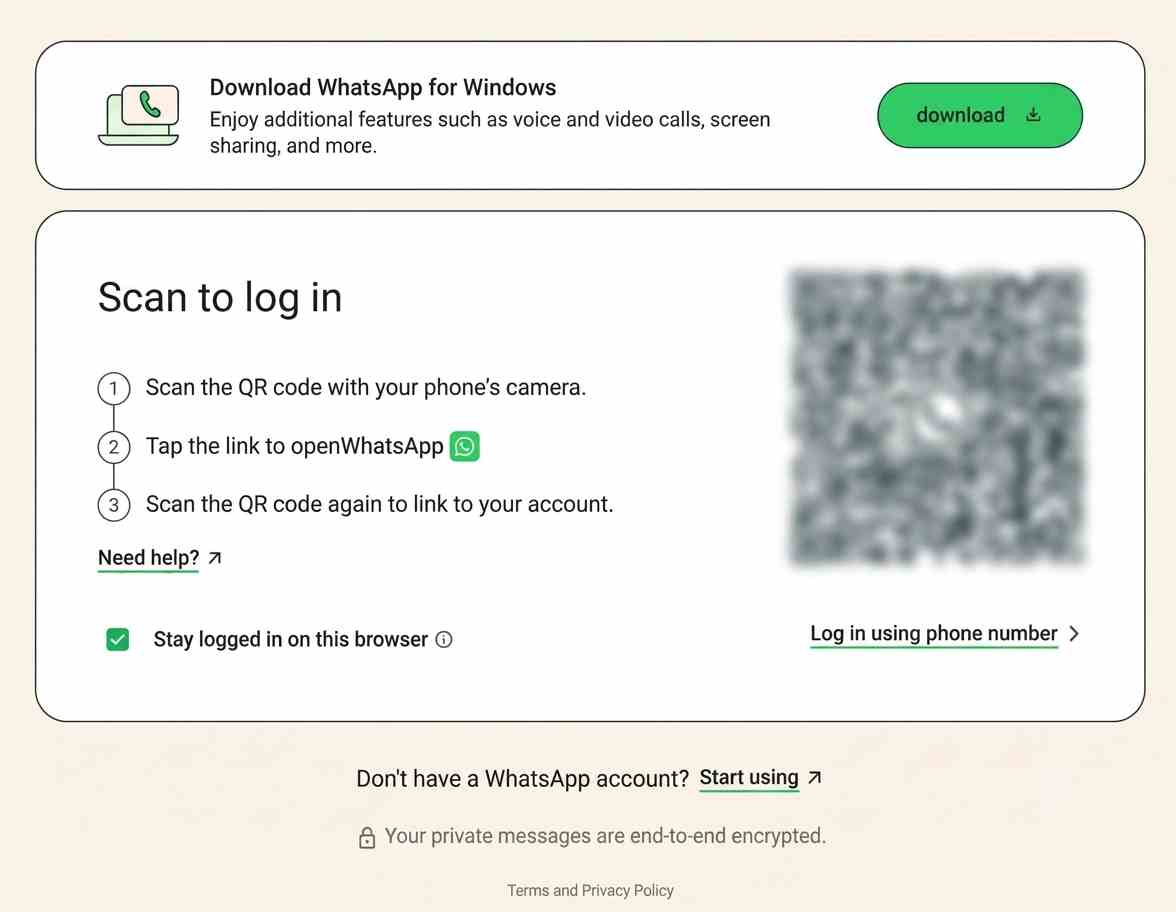
Via QR code:
Step 2: Launch WhatsApp APP on your phone
Step 3: Tap the ⋮ icon on the top right corner to find “Linked devices”
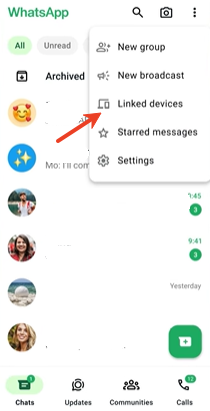
Step 4: Click “+ Link a device” → input phone pin/biometric scan → scan the QR code to use WhatsApp Web
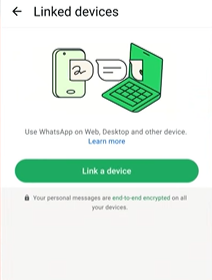
Using phone number:
Step 2: Click “Log in using phone number”
Step 3: Select your country/region and enter your phone number.
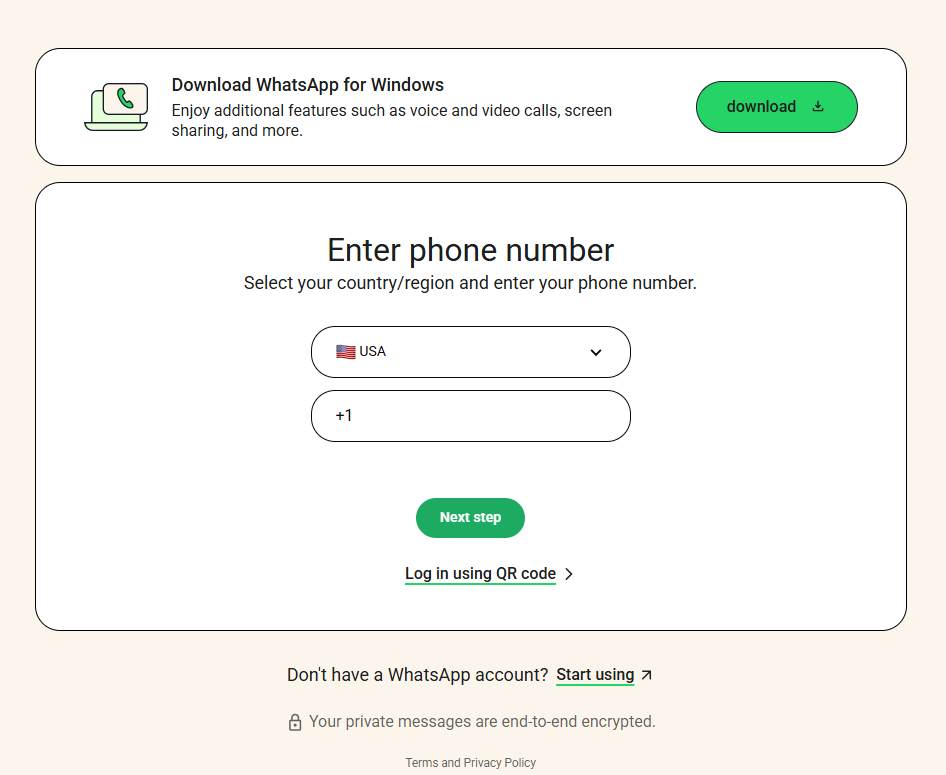
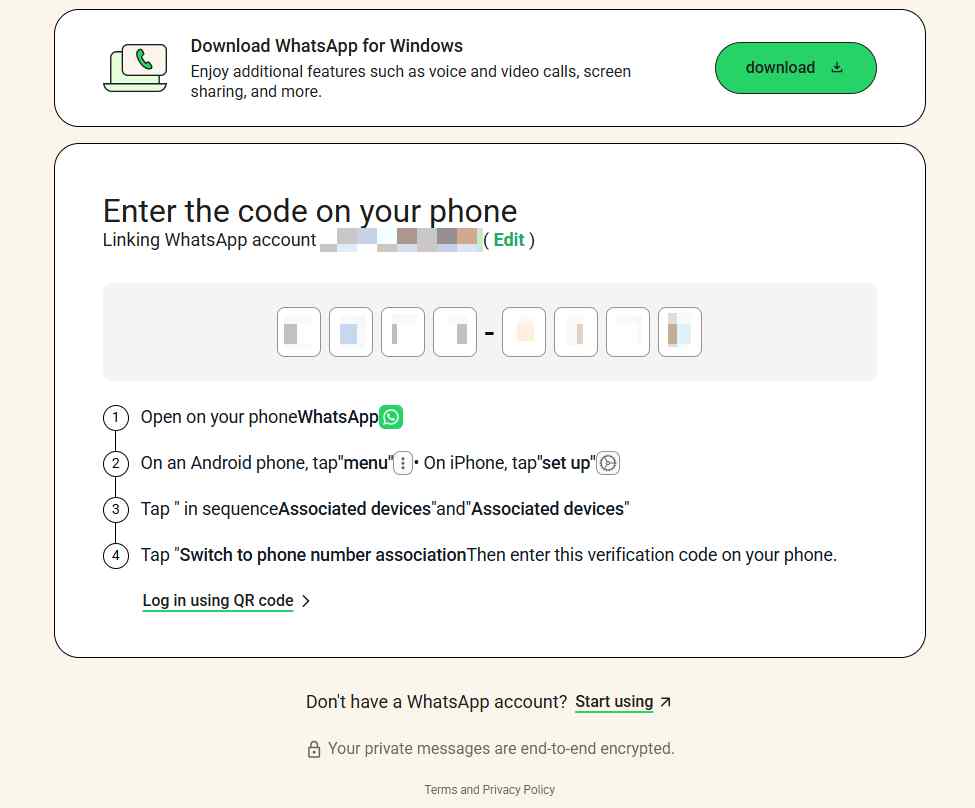
Step 4: Follow the instruction to enter the code on your phone to link the account to WhatsApp Web
How to Set Up WhatsApp Integration with Website?
While WhatsApp Webchat offers strong advantages in ease of use, customer support and multi-tasking, it still comes with certain limitations. You can stay connected by linking up to four devices at a time to your primary phone. In addition, linked devices will be automatically disconnected after 30 days of inactivity. This makes it challenging for large-scale businesses to efficiently manage high-volume conversations across teams and channels. Integrating WhatsApp WebChat into a conversational CX platform helps resolve this issue perfectly. With a unified inbox and advanced features (e.g. automation, CRM analytics,team management, ), businesses can centralize all interactions in one place, improving efficiency and scalability.
Below is a simple step-by-step guide to set up this integration:
Step 1: Go to the Home/Integration page
Step 2: Select the Website Plugin
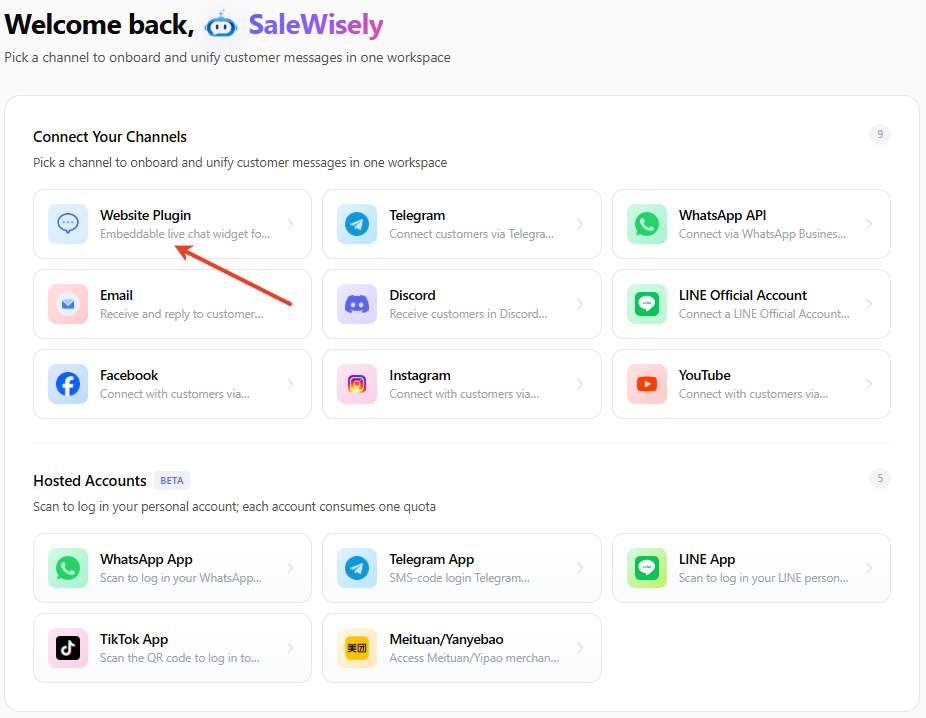
Step 3: “Add plugin” and complete basic settings
Step 4: Input URL of WhatsApp on the Entry Integration surface and enable the channel
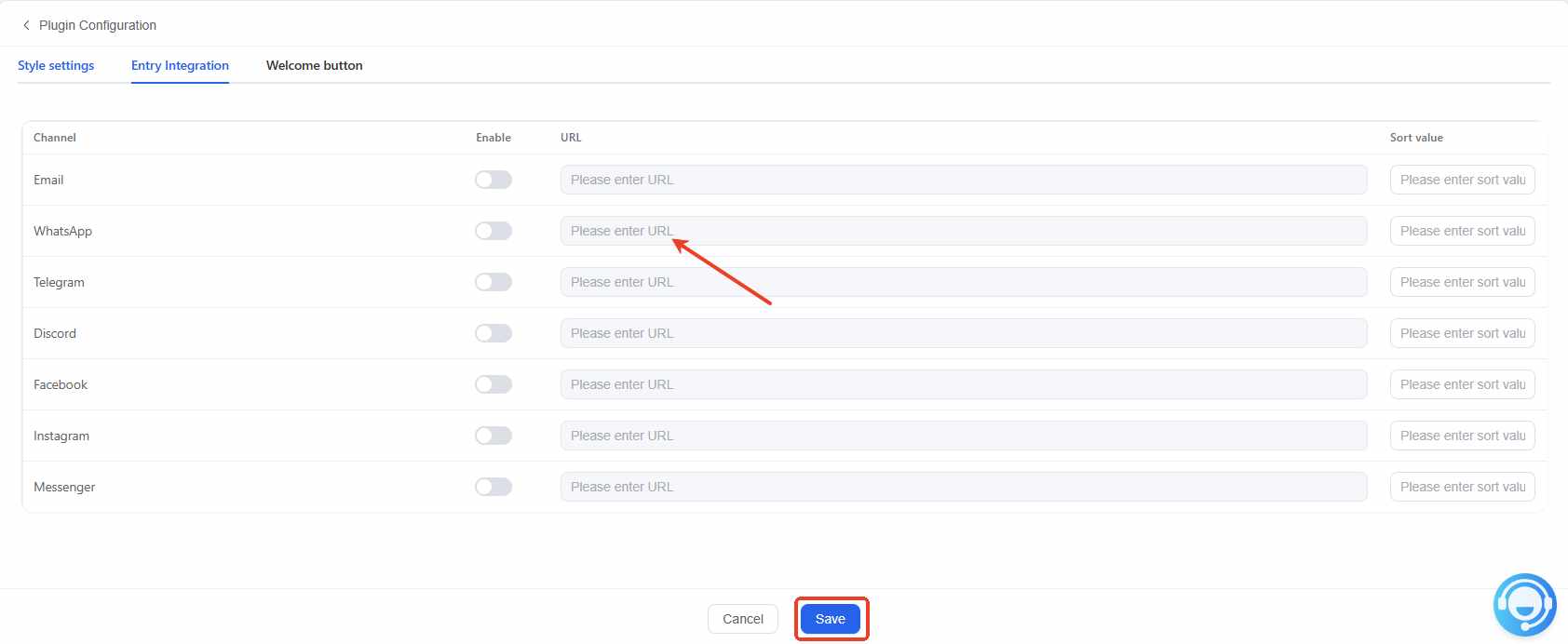
Step 5: Tap save to complete the process
FAQs
Can I view my WhatsApp messages on my laptop?
Yes. You can view and reply to contacts on your laptop using WhatsApp Web or WhatsApp desktop app.
What is WhatsApp web chat?
WhatsApp Web chat is the browser-based version of WhatsApp that lets you send and receive messages from your computer.
How to enter a chat on WhatsApp web?
Go to WhatsApp Web → link the account via QR code/phone number → click any contact or group from the chat list to start messaging.
Is WhatsApp business web free?
Yes, WhatsApp Web is free to use with a linked WhatsApp account.