Last updated: November 10, 2026
WhatsApp Business Platform pricing changed significantly on October 1, 2026. Businesses can no longer assume that replies sent within the 24-hour customer service window are completely free.
Under the updated pricing model, each business phone number receives 1,000 free service messages per month. Once that allowance is used, additional service messages are charged individually based on the recipient's market.
There is another important change: Utility template messages sent within the 24-hour customer service window are also chargeable again.
For businesses handling thousands of customer conversations every month, these changes can affect the total cost of customer support.
But how much will you actually pay? Does the 1,000-message allowance apply to your entire WhatsApp Business Account or each phone number? And what can you do to keep messaging costs under control?
This guide explains the 2026 WhatsApp service message pricing rules, provides country-level rate examples, and shows you how to estimate and manage your monthly costs.
WhatsApp Service Message Pricing: What's Changed in 2026?
The biggest change took effect on October 1, 2026: Meta reintroduced charges for service messages after a monthly free allowance.
Previously, non-template replies sent within an open 24-hour customer service window were free. From October 1, businesses receive 1,000 free service messages per month for each business phone number. Additional delivered service messages are charged at the applicable market rate.
Utility templates sent within the 24-hour window also became chargeable again.
Here's a comparison of the main changes:
Pricing item | Before October 1, 2026 | From October 1, 2026 |
Incoming customer messages | Free | Free |
Service messages within the 24-hour window | Free | First 1,000 per phone number free, then charged |
Utility templates within the 24-hour window | Free | Charged at the applicable Utility rate |
Utility templates outside the 24-hour window | Charged | Charged |
Marketing templates | Charged | Charged |
Authentication templates | Charged | Charged |
The 24-hour customer service window still exists. What changed is how messages sent during that window are billed.
There is also an important distinction between service messages and Utility templates:
- Service messages are non-template replies sent within an open 24-hour customer service window. They receive the 1,000-message monthly allowance.
- Utility templates are approved template messages used for transactional or account-related updates. They are charged at the applicable Utility rate, including when sent within the 24-hour window.
Utility templates do not use the 1,000 free service message allowance.
What Counts as a WhatsApp Service Message?
A service message is a non-template message sent by a business within an active 24-hour customer service window.
The window opens when a customer sends a message to your business. It resets whenever the customer sends another message.
While the window is open, businesses can respond using free-form messages without submitting a template for approval.
Common examples include:
- Answering a customer's product question
- Providing troubleshooting instructions
- Responding to a delivery inquiry
- Helping a customer complete an order
- Following up on a support request
- Sharing information requested by the customer
These messages can contain text, images, documents, and other supported message content.
Does the 24-hour customer service window still matter?
Yes.
The 24-hour window still determines when businesses can send free-form service messages. If the window expires, businesses generally need an approved template message to initiate further communication.
However, an open window no longer means every business message is free.
For example, a human agent's ordinary text reply is a service message. An approved Utility template sent to provide an order update is a Utility template. They follow different pricing rules.
How Does the 1,000 Free Service Message Allowance Work?
Each registered business phone number receives 1,000 free service messages per month.
There are four important details to understand.
1. The allowance applies to each business phone number
The free allowance is calculated per business phone number, not per WhatsApp Business Account (WABA).
For example:
Business phone numbers | Monthly free allowance |
1 | 1,000 messages |
2 | 2,000 messages |
3 | 3,000 messages |
5 | 5,000 messages |
10 | 10,000 messages |
If your business already operates multiple phone numbers, each number has its own allowance.
2. Charges start after the first 1,000 messages
The first 1,000 service messages delivered by a phone number each month are free. From message 1,001 onward, additional delivered service messages are charged at the applicable market rate.
3. Unused messages do not roll over
If you send only 600 service messages in one month, the remaining 400 free messages do not carry forward to the next month.
4. The allowance does not cover all WhatsApp messages
The 1,000-message allowance applies specifically to service messages.
It does not cover Marketing, Utility, or Authentication template messages. Those categories follow their own pricing rules.
WhatsApp Service Message Rates by Country in 2026
After the free allowance is used, service messages are charged according to the recipient's market.
Under the October 1, 2026 USD rate card, service message rates match the Utility and Authentication rates for the same market.
Here are selected rates for common business markets:
Recipient market | Service message rate (USD) |
United States and Canada | $0.0034 |
United Kingdom | $0.0220 |
Germany | $0.0550 |
Spain | $0.0200 |
Brazil | $0.0068 |
Mexico | $0.0085 |
Indonesia | $0.0250 |
India | $0.0014 |
Pakistan | $0.0150 |
United Arab Emirates | $0.0157 |
Saudi Arabia | $0.0107 |
South Africa | $0.0095 |
Nigeria | $0.0067 |
Other markets | $0.0077 |
Rates are in USD per delivered message, based on the October 1, 2026 USD rate card. This is a selection of markets, not a complete list. Actual charges depend on the applicable Meta rate card and billing currency.
A few things stand out:
- India has a relatively low service message rate. At $0.0014 per message, the cost is significantly lower than in many European markets.
- Germany is considerably more expensive. At $0.055 per message, the rate is almost 40 times India's rate.
- Indonesia is another market to watch. Its $0.025 rate is higher than the rates in several other major markets.
For businesses serving customers across multiple countries, the recipient's location can have a significant impact on the final bill.
Remember that Meta uses different rate cards for different billing currencies. USD rates should not simply be converted into another currency using the daily exchange rate.
Meta may also update its rates quarterly. Always check the latest official rate card before preparing a budget.
How to Calculate Your Monthly WhatsApp Service Message Cost
The basic calculation is straightforward:
Monthly service message cost = Billable service messages × Applicable market rate
For one business phone number serving customers in a single market:
Billable service messages = Max(0, Monthly delivered service messages − 1,000)
For example, if one phone number delivers 5,000 service messages to customers in India:
- Total service messages: 5,000
- Free monthly allowance: 1,000
- Billable messages: 4,000
- India service message rate: $0.0014
The calculation is:
4,000 × $0.0014 = $5.60
That is the estimated Meta service message charge before taxes and any additional provider fees.
Example 1: 3,000 service messages per month
Assume your business uses one phone number and delivers 3,000 service messages to customers in India.
Item | Value |
Total messages | 3,000 |
Free messages | 1,000 |
Billable messages | 2,000 |
India rate | $0.0014 |
Estimated Meta cost | $2.80 |
Example 2: 30,000 service messages per month
Now consider a business handling 5,000 customer conversations per month.
If each conversation requires an average of six service messages, the total monthly message volume is:
5,000 × 6 = 30,000 messages
After subtracting the 1,000 free messages, 29,000 messages are billable.
The cost varies significantly depending on the recipient's market:
Market | Rate per message | Billable messages | Estimated cost |
India | $0.0014 | 29,000 | $40.60 |
Brazil | $0.0068 | 29,000 | $197.20 |
United States and Canada | $0.0034 | 29,000 | $98.60 |
Indonesia | $0.0250 | 29,000 | $725.00 |
Germany | $0.0550 | 29,000 | $1,595.00 |
These examples assume one phone number, one recipient market, and the listed USD rates. They exclude taxes, BSP fees, and other platform costs.
The difference is substantial. The same customer support workload can produce very different Meta charges depending on where your customers are located.
What if your business uses multiple phone numbers?
The free allowance is calculated separately for each phone number.
Consider two different setups.
Setup A: Three phone numbers
- Phone number A: 900 messages
- Phone number B: 900 messages
- Phone number C: 900 messages
Each number remains below its individual 1,000-message allowance. All 2,700 service messages fall within the free allowances.
Setup B: One phone number
- Phone number A: 2,700 messages
In this case, 1,700 messages are billable.
This distinction matters when forecasting costs across multiple teams, brands, or regional support operations.
If one phone number serves customers in multiple countries, calculate the allowance at the phone-number level and apply the relevant recipient-market rate to each billable message. Do not subtract a separate 1,000-message allowance for every country.
The key takeaway is that businesses should calculate the allowance based on their existing phone number structure, rather than treating the entire WABA as one shared pool.
Why Your Number of Conversations Doesn't Tell the Whole Story
One of the easiest mistakes in WhatsApp cost planning is estimating spending using conversation volume alone.
For example, two businesses may each handle 5,000 customer conversations per month. But their actual service message costs can be very different.
Metric | Business A | Business B |
Monthly conversations | 5,000 | 5,000 |
Average messages per conversation | 3 | 6 |
Total service messages | 15,000 | 30,000 |
Free allowance | 1,000 | 1,000 |
Billable messages | 14,000 | 29,000 |
Business B sends more than twice as many service messages despite handling the same number of conversations.
This is why you should monitor Messages Per Conversation (MPC), not just the number of conversations.
MPC measures how many messages are exchanged on average during each customer conversation.
For example:
- 5,000 conversations with 30,000 service messages = 6 MPC
- 5,000 conversations with 20,000 service messages = 4 MPC
- 5,000 conversations with 15,000 service messages = 3 MPC
Reducing unnecessary back-and-forth can lower message volume without reducing the number of customers your team supports.
MPC is therefore a useful operational metric for understanding both customer service efficiency and messaging costs.
Meta Fees vs. WhatsApp BSP Fees: What Else Will You Pay?
Meta's message charges are only one part of the total cost of using the WhatsApp Business Platform.
If you access WhatsApp through a Business Solution Provider (BSP) or another third-party platform, you may also pay for additional services.
These costs should be evaluated separately.
Cost category | What it covers |
Meta messaging fees | Charges for delivered messages based on category and recipient market |
BSP or provider fees | API access, message handling, or other provider services |
Platform subscription | Shared inbox, team collaboration, CRM, automation, and reporting |
AI usage fees | AI-generated replies, classification, translation, and other AI features |
Taxes | Applicable local taxes or statutory charges |
Common BSP pricing models
Different providers use different pricing structures.
1. Per-message markup
Some providers add a fee to each message sent or delivered. Even a small markup can become meaningful at high message volumes.
2. Monthly subscription
Some platforms charge a fixed monthly fee for access to their software or messaging services. The subscription may include certain features or usage limits.
3. Hybrid pricing
Other providers combine monthly subscriptions with usage-based charges, additional automation fees, or optional services.
Before choosing a provider, ask for a clear breakdown of:
- Meta's official messaging charges
- Any provider markup per message
- Monthly subscription fees
- Additional charges for phone numbers or users
- AI usage and automation fees
- Taxes and payment processing costs
A provider with a low monthly subscription is not necessarily the cheapest option once all usage-based charges are included.
6 Practical Ways to Reduce WhatsApp Service Message Costs
You cannot control Meta's published rates, but you can control how efficiently your team uses WhatsApp.
The goal should not be to send as few messages as possible at the expense of customer experience. Instead, focus on reducing unnecessary exchanges and resolving customer requests more efficiently.
1. Reduce unnecessary back-and-forth
Some support conversations require many short messages simply because information is collected one question at a time.
For example, instead of sending separate questions about an order number, product, and delivery issue, agents can request the necessary information together.
This reduces avoidable message exchanges and helps customers get answers faster.
2. Use automation for repetitive questions
Many customer service requests follow predictable patterns.
Examples include:
- Order status inquiries
- Shipping and delivery questions
- Return and refund policies
- Product availability
- Basic troubleshooting
Automation can handle common questions and collect relevant information before a human agent takes over.
This helps reduce repetitive manual replies and makes support operations more consistent.
3. Use a knowledge base for frequently asked questions
If customers repeatedly ask the same questions, your team should not have to write the same answers from scratch every time.
A structured knowledge base gives agents and AI assistants access to approved answers, product information, and support instructions.
It can help reduce unnecessary clarification messages while improving response consistency.
4. Route conversations to the right team
Poor routing creates additional messages.
A customer may need to repeat their issue because the conversation was transferred to the wrong agent or department.
A clear routing process helps send inquiries to the right team from the beginning. This reduces repeated explanations and unnecessary internal handoffs.
5. Monitor messages per conversation
Track average message volume alongside conversation volume.
For example, if your support team normally uses four messages per conversation but the number suddenly rises to seven, investigate why.
Possible reasons include:
- More complicated customer issues
- Incomplete first responses
- Poorly designed automation flows
- Repeated requests for information
- Unclear product or delivery policies
MPC helps identify where additional messages are being generated and where support workflows can be improved.
6. Review your channel strategy
Not every customer interaction needs to happen on WhatsApp.
For some businesses, a website help center, live chat, email, or another messaging channel may be more suitable for certain types of requests.
An omnichannel support strategy lets businesses manage customer inquiries across different channels rather than forcing every interaction into one messaging platform.
The right channel depends on customer preference, urgency, and the type of support required.
Which WhatsApp Messages Are Still Free?
The October 2026 update does not mean every WhatsApp interaction is chargeable.
Several situations remain outside standard service message billing or follow separate pricing rules.
Message or interaction type | General pricing treatment |
Incoming customer messages | Free to the business |
First 1,000 service messages per business phone number each month | Free |
Service messages after the monthly allowance | Charged per delivered message |
Utility templates | Charged at the applicable Utility rate |
Marketing templates | Charged at the applicable Marketing rate |
Authentication templates | Charged at the applicable Authentication rate |
Eligible free entry point conversations | Free during the applicable entry point window |
What about Click-to-WhatsApp ads?
Meta provides special free entry point windows for eligible conversations initiated through supported entry points.
Two important examples are:
Click-to-WhatsApp Ads
Eligible conversations initiated through Click-to-WhatsApp ads can receive a free entry point window of up to seven days. The rollout is progressive, so some conversations may still receive a 72-hour window during the transition.
Facebook Page Call-to-Action buttons
Eligible conversations initiated through a Facebook Page call-to-action button receive a 72-hour free entry point window.
During an eligible free entry point window, messages across categories can be free under Meta's applicable rules.
However, eligibility depends on the entry point and the required response conditions. For Click-to-WhatsApp ads, businesses generally need to respond within 24 hours of the customer's message to open the free entry point window.
Do not confuse these special entry point windows with the standard 24-hour customer service window. They are separate mechanisms with different conditions.
Also remember that a free messaging window does not make the advertisement itself free. Advertising costs are separate from WhatsApp message charges.
How SaleWisely Helps Teams Manage Customer Conversations More Efficiently
As WhatsApp messaging costs become more important, businesses need more than a way to send and receive messages. They need an efficient way to manage customer support workflows.
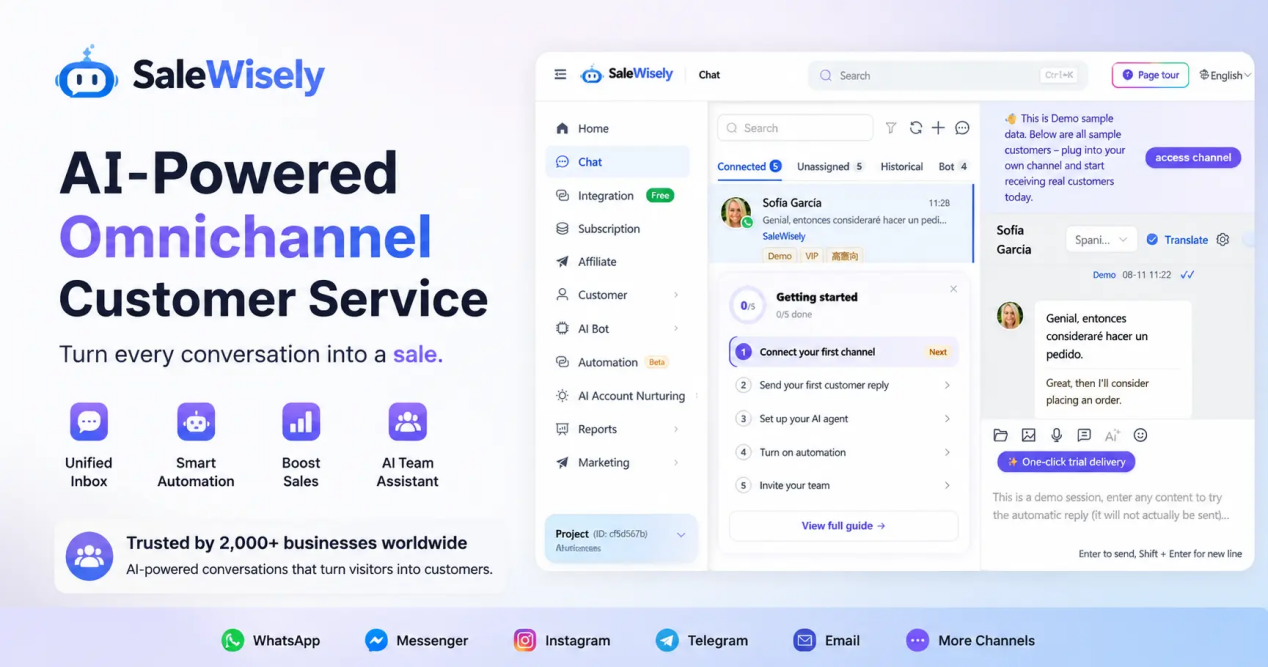
SaleWisely provides an omnichannel platform where teams can manage customer conversations, collaborate, automate repetitive tasks, and organize customer information.
Its tools include a shared inbox, CRM, automation, AI Agents, a knowledge base, and real-time translation.
These capabilities do not change Meta's official WhatsApp rates. Their value is in helping teams manage conversations more efficiently, reduce avoidable work, and improve the customer experience.
For businesses handling high volumes of customer inquiries, better conversation management can be just as important as understanding platform fees.
Frequently Asked Questions
1. Are WhatsApp service messages still free in 2026?
Not entirely. Since October 1, 2026, each business phone number receives 1,000 free service messages per month. Additional service messages are charged according to the recipient's market rate.
2. Is the 1,000-message allowance shared across a WABA?
No. The allowance applies to each business phone number, not the entire WhatsApp Business Account. Each registered number receives its own monthly allowance.
3. Do unused free service messages roll over?
No. Unused messages do not carry over to the following month.
4. Does the 24-hour customer service window still exist?
Yes. The 24-hour window remains in place. It still determines when businesses can send free-form service messages, but it no longer makes all service messages free.
5. Are Utility templates free inside the 24-hour customer service window?
No. From October 1, 2026, Utility templates are charged at the applicable Utility rate even when sent inside an open 24-hour customer service window. They do not use the 1,000 free service message allowance.
6. How much does one WhatsApp service message cost?
It depends on the recipient's market. For example, the October 2026 USD rate card lists $0.0014 for India, $0.0034 for North America, and $0.0550 for Germany after the monthly free allowance has been used.
7. Are WhatsApp service messages charged per conversation or per message?
They are charged per delivered message after the free allowance. Your total cost therefore depends on message volume, not just the number of customer conversations.
8. Do BSP providers charge additional fees?
They may. Some providers add per-message markups, monthly subscriptions, or fees for additional services. Check your provider's pricing terms to understand the total cost.
9. Can automation reduce WhatsApp service message costs?
Yes. Automation can help reduce unnecessary message exchanges by handling repetitive questions, collecting information more efficiently, and routing inquiries to the right team. However, automation does not change Meta's published rates.
10. How long does a free entry point window last?
It depends on the entry point. Eligible Click-to-WhatsApp ad conversations can receive a free window of up to seven days, although some may still receive 72 hours during the progressive rollout. Eligible Facebook Page call-to-action conversations receive a 72-hour window.
11. Are government and nonprofit organizations exempt from WhatsApp message fees?
Some organizations may qualify for special programs or arrangements, depending on Meta's eligibility requirements. These are not general exemptions available to every business. Organizations should check directly with Meta or their authorized provider to confirm whether they qualify.
12. Where can I check the latest WhatsApp Business Platform rates?
Check Meta's official WhatsApp Business Platform pricing documentation and its published rate cards. Rates can change, so verify the applicable market and billing currency before estimating your costs.
Final Thoughts
The October 2026 WhatsApp pricing update makes service message volume an important part of customer support budgeting.
The first 1,000 service messages per business phone number each month are free, but businesses exceeding that allowance need to account for per-message charges. Utility templates are also chargeable inside the 24-hour customer service window.
The actual cost depends on the recipient's market, the number of messages delivered, the message category, and any additional provider fees.
If you want to keep WhatsApp support costs under control, start with three things:
- Track delivered service messages for each business phone number.
- Monitor messages per conversation instead of relying only on conversation volume.
- Improve automation, routing, and knowledge management to reduce unnecessary exchanges.
The most effective cost strategy is not simply to send fewer messages. It is to resolve customer requests with fewer unnecessary steps while maintaining a good customer experience.