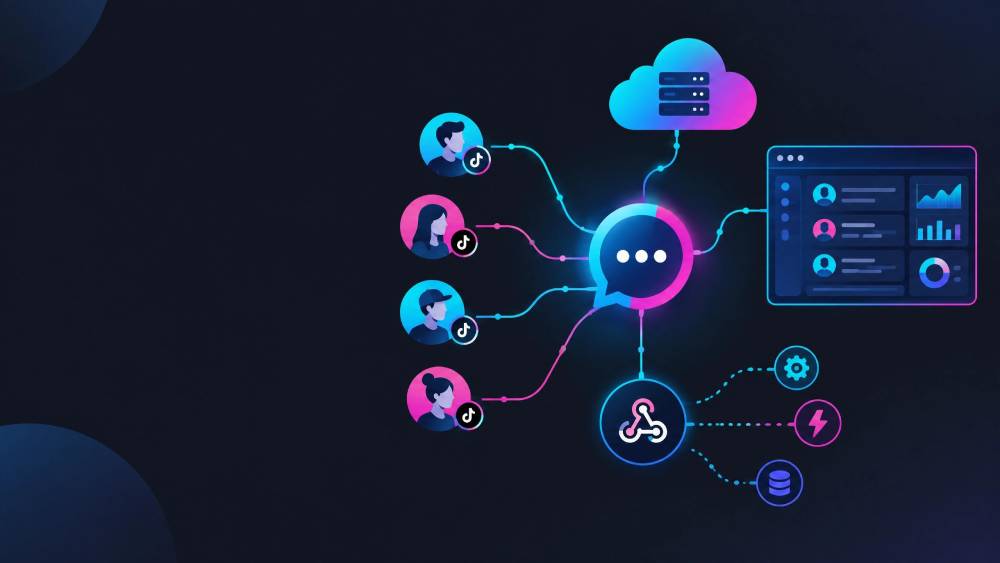
The TikTok Business Messaging API lets eligible businesses connect TikTok messaging capabilities to external software, CRM systems, helpdesks, and customer-service workflows.
Depending on the capabilities and permissions available to an application, businesses can manage supported conversations, automate certain messaging workflows, receive webhook events, and connect TikTok conversations with other systems.
One thing to keep in mind: the API is an integration layer, not a ready-made customer service inbox. Your team still needs to handle authorization, permissions, message routing, data storage, development, and ongoing maintenance.
That distinction matters even more when you're managing multiple TikTok accounts. A custom API integration gives you more control, while a multi-account messaging platform gives your team an existing workspace without requiring you to build the entire messaging system yourself.
Quick Summary
l Access: TikTok Business Messaging API access depends on your application, required scopes, account eligibility, and TikTok's review and authorization process.
l Limits: TikTok applies API and messaging restrictions, but the exact limits can vary by API and capability. Check the current developer documentation rather than relying on fixed numbers from older guides.
l Multi-account management: Multiple TikTok accounts can be supported when the relevant access and authorization are available, but account-level permissions, routing, customer data, and message history still need to be managed.
l Alternative approach: If you mainly need a shared workspace for multiple TikTok accounts and customer conversations, a multi-account messaging platform can handle more of the operational layer without requiring you to build it yourself.
TikTok Business Messaging API at a Glance
Feature | What it means |
What it is | An API for connecting TikTok messaging capabilities with external software |
Main use | Customer messaging, automation, CRM, and custom workflows |
Access | Depends on account eligibility, app capabilities, scopes, and approval |
Messaging | Supports supported direct-message workflows |
Automation | Available for supported use cases |
Webhooks | Can notify your application when supported events occur |
Multi-account | Possible, but account authorization and routing need to be managed |
Main consideration | You need technical infrastructure to build and maintain the integration |
TikTok's developer products and requirements can change, so check the current Business Messaging API documentation before building or launching an integration.
What Is TikTok Business Messaging API?
TikTok Business Messaging API lets businesses connect supported TikTok messaging capabilities with their own software and workflows.
Instead of having agents work entirely inside TikTok, an integration can bring supported messaging activity into another system.
For example, a business might connect TikTok conversations to:
l A CRM
l A customer service platform
l An internal sales system
l An automation workflow
l A customer database
l A reporting system
This follows the broader idea behind an omnichannel platform, where conversations from different customer channels can be managed through a central system.
The API doesn't provide all of those features out of the box. Your business or software provider still needs to build the surrounding workflow.
What Can You Do With TikTok Business Messaging API?
The exact capabilities available to an application depend on the APIs, scopes, permissions, and product configuration available to it.
TikTok's current Business Messaging documentation includes capabilities for direct messages, conversation and message retrieval, media handling, Comment-to-Message, automatic messages, and Business Messaging webhooks.
Common use cases include the following.
1. Send and Manage Direct Messages
Supported messaging capabilities can let businesses connect TikTok conversations with external customer-service or sales systems.
That means agents can work with TikTok conversations inside another system instead of moving customer information between separate tools.
2. Connect TikTok Conversations to a CRM
A messaging integration can connect conversations with customer records.
For example, a business could associate a TikTok conversation with:
l Customer details
l Previous interactions
l Tags
l Sales information
l Support history
l Internal notes
Having that context available can make it easier for agents to understand the customer before responding.
3. Build Automated Messaging Workflows
TikTok supports automatic messaging capabilities for supported Business Messaging use cases.
The exact options depend on the capabilities available to the application, so businesses should check the current documentation before building a specific workflow.
4. Receive Webhook Events
Webhooks let TikTok notify your application when supported events occur. Instead of repeatedly polling the API for changes, your system can receive notifications through a configured HTTPS callback URL.
TikTok's webhook documentation specifies that webhook notifications are delivered through HTTPS POST requests. The callback endpoint must return HTTP 200 to acknowledge receipt, and TikTok may retry failed deliveries for up to 72 hours. TikTok also notes that webhook delivery is best effort with at-least-once delivery, so applications should make event processing idempotent.
For a customer-service system, webhook events can trigger actions such as:
l Creating or updating a conversation
l Notifying an agent
l Updating a CRM record
l Starting an automation
l Recording customer activity
5. Connect Comment-to-Message Workflows
Depending on the TikTok capabilities available to your application, businesses can build workflows that connect public interactions such as comments with private messaging.
TikTok's Business Messaging API documentation includes endpoints for enabling and managing Comment-to-Message for supported Business Accounts.
This can be useful when a business wants to turn social engagement into a sales or customer-service conversation.
How to Get Access to TikTok Business Messaging API
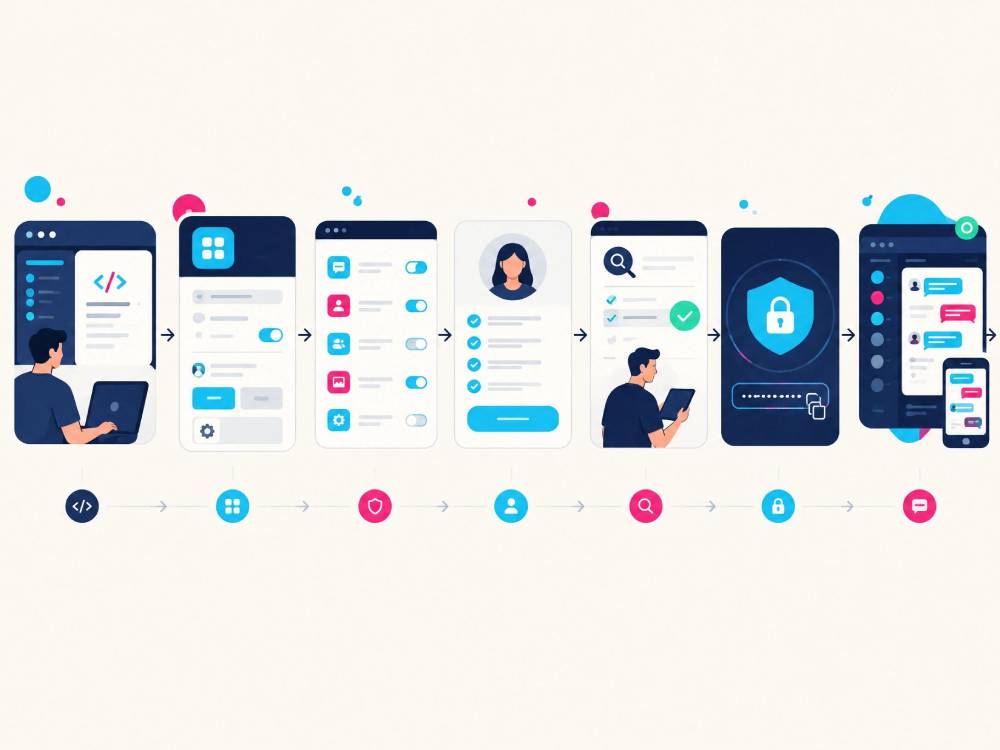
Getting an API integration running involves more than creating an API key.
The typical process looks like this.
1. Create a TikTok for Developers Account
You need a developer account and an application in the TikTok Developer Portal.
2. Register and Configure Your Application
Your application needs to be registered and configured in the Developer Portal, including relevant development and security settings.
TikTok's development configuration documentation covers settings such as trusted domains, webhook callback URLs, and URL properties.
3. Request the Required Capabilities and Scopes
TikTok uses scopes to control what an application can access or do.
Its Scopes Overview explains that scopes represent permissions granted by end users for specific data resources or actions. Approval for a scope alone does not give an application access to a user's data; the user must also authorize the requested permissions.
Make sure the scopes requested by your application match the functionality you actually need.
4. Complete App Review
TikTok reviews apps seeking access to its APIs and SDKs in Live.
The review process may require a functioning application, demo accounts, and other supporting information. TikTok does not provide a guaranteed review timeline.
5. Handle Authorization and Authentication
Once the required access is available, your application needs to handle authorization and access tokens securely.
This becomes especially important when you're connecting multiple TikTok accounts. Each account needs to remain associated with the correct authorization, customer data, and account-level settings.
6. Build, Test, and Maintain the Integration
Once access is approved, the engineering work begins.
Your team may need to build:
l Message handling
l Conversation storage
l Agent routing
l Customer identity matching
l Error handling
l Webhook processing
l Authentication and token management
l Reporting
l Monitoring
A custom integration also needs ongoing maintenance because APIs, permissions, and product requirements can change or be deprecated over time.
What Are the Limits of TikTok Business Messaging API?
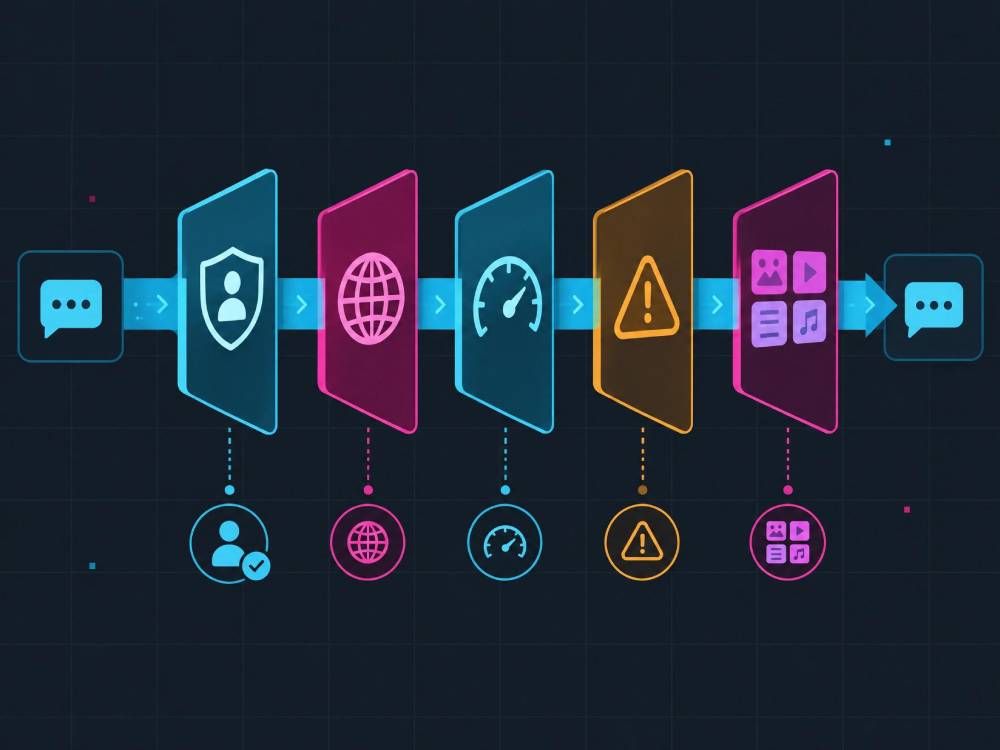
There isn't one single number that explains every TikTok messaging limit.
What you can do depends on the specific API, application, permissions, account eligibility, and current TikTok requirements.
TikTok maintains separate documentation for Business Messaging API limits, so messaging-specific restrictions should be checked there rather than inferred from limits for unrelated TikTok APIs.
The main factors to consider are:
Account Eligibility
Not every TikTok account will necessarily have access to every developer capability.
Before building a workflow around the API, confirm that the accounts and use case you plan to connect are eligible.
Regional and Product Availability
TikTok's products and capabilities can vary by market and may change over time.
If your business operates across several markets, verify availability for the specific accounts and regions you plan to support.
Permissions and Authorization
Your application needs the appropriate scopes and user authorization for the APIs it uses.
A technically correct integration can still fail if the required permission hasn't been approved or the user hasn't authorized it.
Messaging and Request Limits
TikTok applies limits to its APIs, and different APIs can have different rate limits.
For the TikTok for Developers APIs, rate limits are calculated using a sliding time window. When an application exceeds the applicable threshold, TikTok can throttle new requests and return an HTTP 429 response with the rate_limit_exceeded error code.
The exact threshold depends on the API and applicable limits. Don't assume that a rate limit documented for one TikTok API also applies to Business Messaging.
Message and Media Capabilities
Not every type of message, media, or interaction is necessarily available to every application.
Before promising a particular customer-service workflow, verify that the message type and action you need are actually supported.
Why Multi-Account TikTok Messaging Gets More Complicated
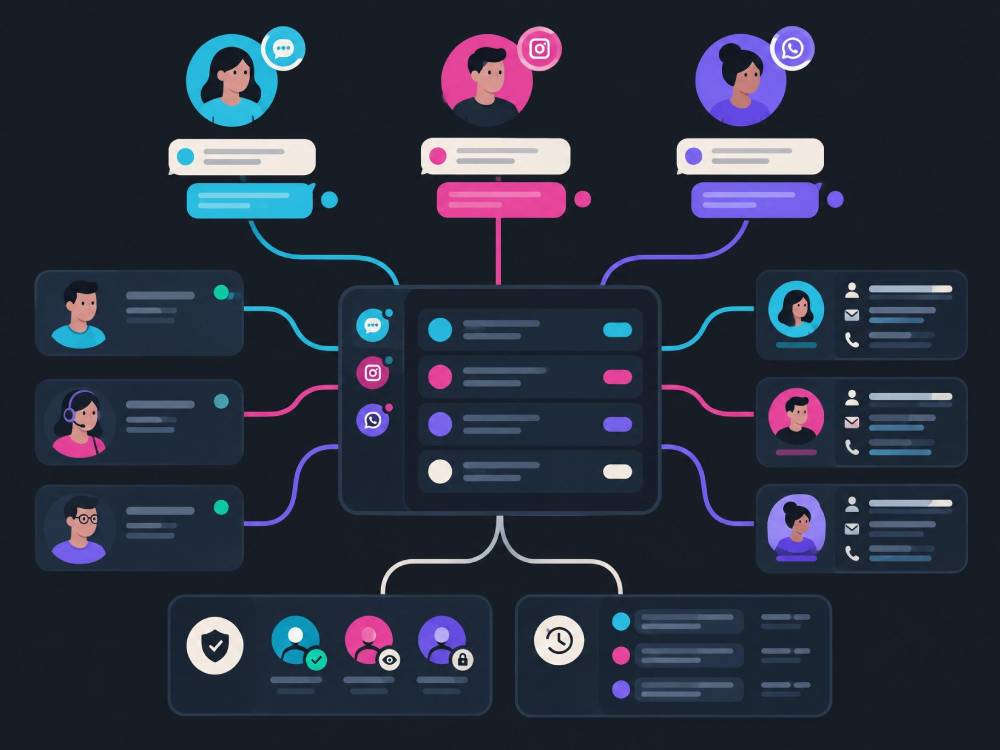
Managing one TikTok account through an API is one problem.
Managing several accounts is a different architecture problem.
A multi-account system may need to keep track of:
l Which TikTok account owns each conversation
l Account-specific authorization
l Permissions and access credentials
l Message history
l Agent assignment
l Webhook events
l Customer identity
l Account-level settings
l Reporting and error handling
Adding another account is easy. Keeping everything organized is harder.
Each conversation needs to stay connected to the right account, team, customer, and permissions.
For an operations team, the practical question is simple:
Which account did this message come from, who should handle it, and where is the customer's history?
That becomes increasingly important when one team manages several TikTok accounts at the same time.
TikTok Business Messaging API vs. Multi-Account Messaging Platform
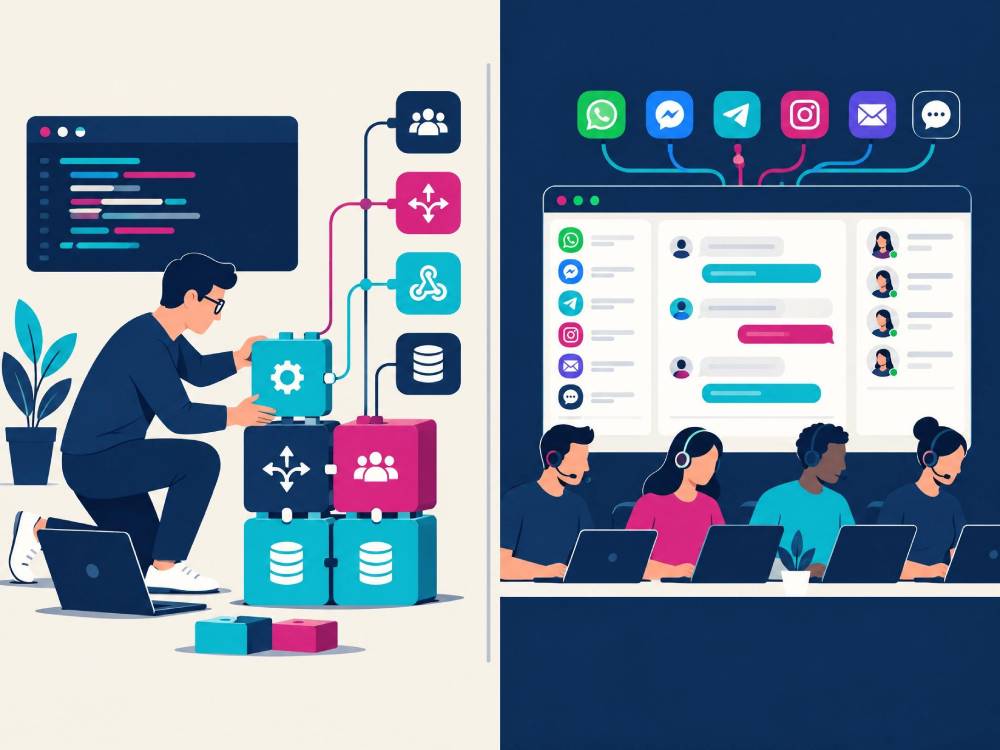
These approaches solve related but different problems.
Factor | TikTok Business Messaging API | Multi-Account Messaging Platform |
Main purpose | Build a custom integration | Manage conversations through an existing workspace |
Development | Requires engineering work | Usually requires little or no custom development |
Flexibility | High | Depends on the platform |
Multi-account workflow | Must be designed | May already be built in |
CRM | Build or integrate it | May be included |
Message routing | Build your own logic | Usually available as a platform feature |
Maintenance | Your team maintains the integration | Mostly handled by the provider |
Best suited to | Custom technical requirements | Teams focused on daily messaging operations |
Neither approach is automatically right for every business.
The choice depends largely on custom control versus operational simplicity.
When Does the TikTok Business Messaging API Make Sense?
A custom API integration can make sense when your business has:
l An engineering team
l Existing CRM or helpdesk infrastructure
l Custom routing requirements
l Internal data systems that need TikTok data
l Complex automation needs
l A reason to control the user experience yourself
For example, a larger company may already have its own customer-service platform and want TikTok to become another communication channel inside that system.
In that situation, building an integration can provide the flexibility the business needs.
When Is a Multi-Account Messaging Platform Simpler?
A ready-made platform can make sense when the main goal is to manage conversations efficiently rather than build the underlying messaging infrastructure.
This can be useful for teams that:
l Manage several TikTok accounts
l Have multiple customer-service agents
l Need shared access
l Want conversation assignment
l Need customer history
l Don't want to build their own messaging infrastructure
l Also manage Instagram, WhatsApp, Facebook, or email
Instead of switching between accounts and separate messaging tools, agents can work from one workspace, assign conversations to the right people, and keep customer context in one place.
For a busy support or sales team, that can mean less time checking the wrong account, copying customer information between tools, or asking teammates who owns a conversation.
Managing TikTok and Other Social Channels in One Workspace
TikTok is rarely the only channel a business needs to manage.
A customer might discover a product on TikTok but contact the business through Instagram, WhatsApp, Facebook, or email.
That creates another practical question:
Where does the customer conversation live?
A centralized workspace can reduce the need to move between separate tools.
For example, a team may need to:
1. Respond to a TikTok message.
2. Check the customer's previous interactions.
3. Continue the conversation through another channel.
4. Assign the customer to a sales or support agent.
5. Keep the customer record updated.
A shared workspace can make that workflow easier to manage by keeping conversations, assignments, and customer context together.
The trade-off is straightforward: a ready-made platform can reduce the amount of infrastructure your team needs to build and operate, but you give up some of the control that comes with a custom integration.
A Different Approach: Multi-Account TikTok Messaging With SaleWisely
SaleWisely takes a different approach from building a TikTok Business Messaging API integration from scratch.
Its TikTok integration uses a cloud-hosted real-device approach, allowing businesses to manage supported TikTok accounts through a hosted environment rather than building their own API integration.
That is technically different from TikTok Business Messaging API, so the two shouldn't be treated as the same integration method.
For teams that want a ready-made workspace, SaleWisely can bring TikTok conversations together with channels such as Instagram, WhatsApp, Facebook, and email through its omnichannel inbox.
Instead of jumping between accounts and separate messaging tools, agents can work from the same inbox, assign chats, and keep customer context in one place. That can make it easier to see who is handling each conversation and reduce repetitive account switching.
Customer information can also be managed through SaleWisely's CRM, including customer profiles, chat history, tags, and other business data.
If your team is also focused on selling on TikTok, a centralized workflow can connect TikTok conversations with the broader sales process.
Common Mistakes When Working With TikTok Messaging API
1. Assuming API Access Means You Get an Inbox
An API gives software a way to communicate with TikTok.
It doesn't automatically give your team a complete customer-service interface.
You still need to build the workspace, routing logic, customer records, and agent workflow around it.
2. Assuming Every TikTok Account Has the Same Access
API capabilities can depend on the application, permissions, account eligibility, and current TikTok requirements.
Verify access before designing the workflow around a specific capability.
3. Treating Multi-Account Management as Just an Account Count
The difficult part isn't necessarily connecting another account.
It's keeping authorization, conversations, customers, agents, and reporting correctly separated.
4. Ignoring Webhook and Authentication Management
A messaging system needs reliable event handling and secure authorization.
TikTok's webhook system uses HTTPS callbacks and can retry failed deliveries, so your endpoint should acknowledge events correctly and handle duplicate deliveries safely.
5. Building More Than Your Team Actually Needs
A custom integration can provide flexibility, but that flexibility comes with development and maintenance work.
If your main requirement is simply to manage several TikTok accounts and customer conversations, a ready-made platform may reduce the infrastructure your team needs to build and operate.
FAQ
What is TikTok Business Messaging API?
TikTok Business Messaging API is an integration method that allows eligible applications to connect supported TikTok messaging capabilities with external software and business workflows.
Is TikTok Business Messaging API free?
The API itself shouldn't be treated as the same thing as a complete free customer-service solution.
Even when API access doesn't involve a separate software subscription, businesses may still have development, hosting, maintenance, and third-party software costs.
Do I need a developer?
For a custom API integration, usually yes.
Someone needs to handle authentication, API requests, webhooks, data storage, error handling, and the customer-service interface around the API.
Can TikTok Business Messaging API manage multiple accounts?
It can support multi-account workflows when the relevant accounts and permissions are available, but the multi-account architecture still needs to be designed.
Each account may require separate authorization, routing, customer mapping, and account-level settings.
Does TikTok Business Messaging API support automation?
TikTok provides automatic messaging capabilities for supported Business Messaging use cases.
The exact functions depend on the capabilities available to your application, so check the current developer documentation before planning a specific automation workflow.
Is TikTok Business Messaging API the same as a TikTok inbox?
No.
The API is a way for software to connect with TikTok.
A TikTok inbox is a user interface for managing conversations.
A customer-service platform may use APIs or other integration methods to provide a shared inbox, routing, CRM, automation, and multi-account management.
Final Thoughts
TikTok Business Messaging API is primarily a way to connect TikTok conversations with other software.
It can be useful for businesses that need custom workflows and have the technical resources to build and maintain them.
For teams managing multiple TikTok accounts, however, the integration is only part of the problem. Account authorization, conversation routing, customer history, agent management, and cross-channel communication all matter.
Before choosing an approach, ask three practical questions:
1. What TikTok messaging capabilities are available to our accounts?
2. What does our sales or customer-service team need to manage every day?
3. How much of the messaging infrastructure do we want to build and maintain ourselves?
If your team needs to manage TikTok alongside other social channels without building the entire messaging infrastructure from scratch, a ready-made multi-account messaging workspace is one option to consider.