From managing customer messages to building a scalable support process, the right system depends on where your business is today.
The best way to choose customer service software for a global business is to start with your current support stage and biggest operational bottleneck, not the number of features a platform offers.
A small team may only need one place to manage customer conversations across a few channels. As the business grows, it may need automation, a knowledge base, AI assistance, ticketing, SLAs, CRM, and integrations.
The goal is not to buy the most advanced system available. It is to choose a system that solves today's problems without creating unnecessary complexity.
Why Customer Support Gets More Complicated as Your Business Grows
Customer support becomes harder to manage as more customers, channels, languages, and team members are added.
A global business may receive customer messages through WhatsApp, Instagram, TikTok, email, live chat, and other channels. Customers may also contact the business at different times and expect fast replies in their preferred language.
At the same time, support teams have to deal with:
Conversations spread across different platforms
Customers asking the same questions repeatedly
Multiple agents handling the same accounts
Language and time-zone differences
Refunds, complaints, and other cases that require follow-up
Customer information stored in different systems
Growing response-time expectations
This is why customer service software should be selected according to the problems your team needs to solve first.
First, Identify Where Your Business Is Today
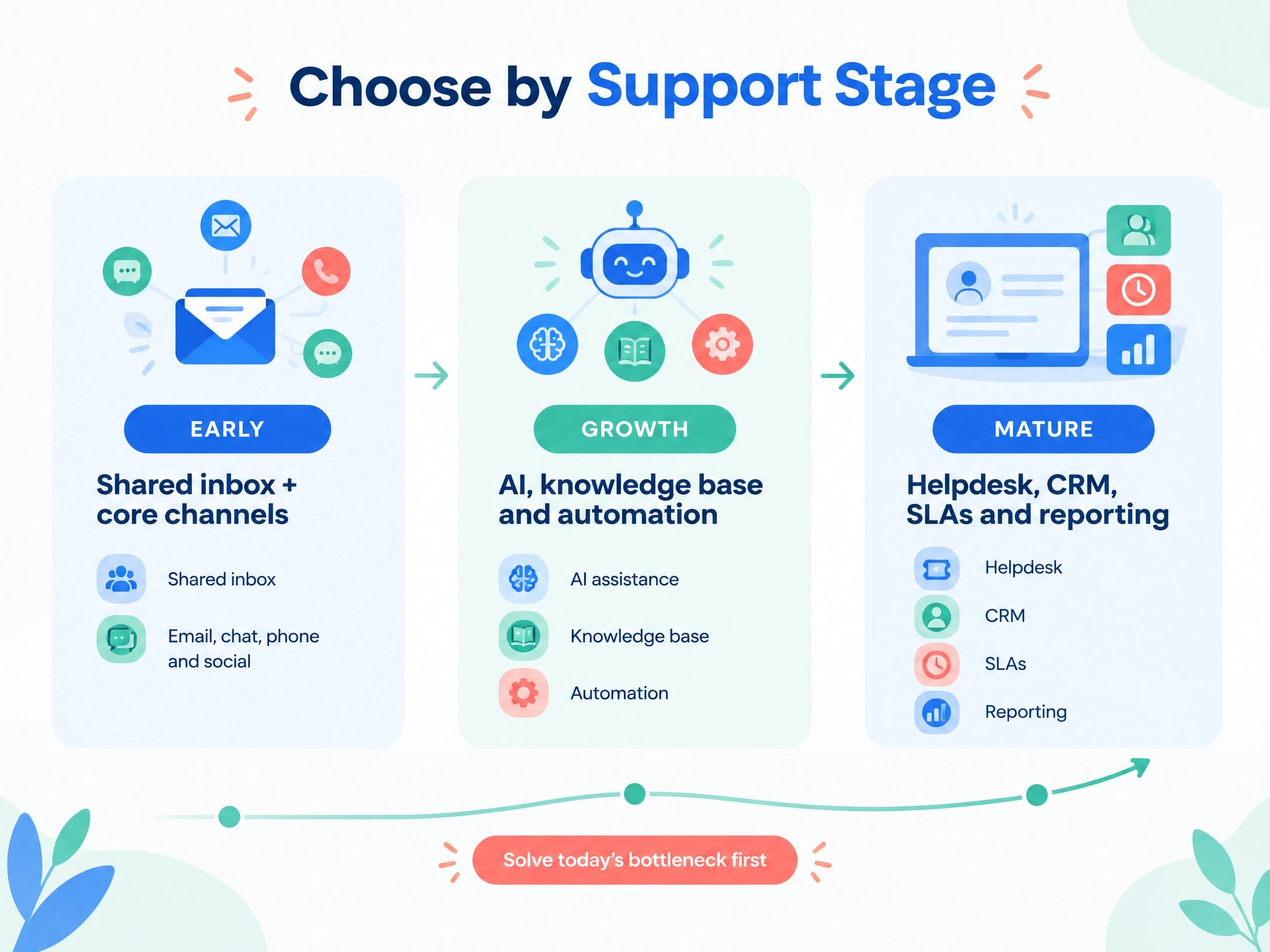
Before comparing software, determine which stage best describes your support operation.
Business stage | What it usually looks like | Common problems | What to prioritize |
Early stage | Small support team and a few channels | Scattered messages, language barriers | Shared inbox, core channels, translation, basic automation |
Growth stage | More customers, channels, and support requests | Repetitive questions, lower agent efficiency | AI, knowledge base, automation, team collaboration |
Mature stage | Larger support operation and more complex processes | Tickets, SLAs, customer data, integrations | Helpdesk, CRM, SLA management, API, reporting |
These stages are not tied to a specific number of employees or customers.
A 10-person company with customers in several countries may need more advanced customer service software than a 50-person company serving one market.
The important question is:
What is slowing your support team down right now?
Quickly Identify What You Need to Fix First
Start with the problem rather than the software.
Your current problem | Capability to look for |
Customer messages are spread across platforms | Omnichannel inbox |
Customers speak different languages | Multilingual support and real-time translation |
Several agents manage the same conversations | Shared inbox, routing, and collaboration |
Agents answer the same questions repeatedly | Knowledge base, AI, and automation |
AI cannot handle a complex request | Human handoff |
Complaints or refunds require follow-up | Ticketing and case management |
Agents lack customer history | CRM |
Support needs access to order or business data | API and integrations |
This approach makes software comparisons much easier.
Instead of asking, "Which platform has the most features?", ask, "Which capabilities will remove the biggest bottleneck for our team?"
What Kind of Customer Service Software Do You Need?
Early Stage: Get Every Conversation Under Control
At the early stage, the biggest problem is often not ticket management. It is simply keeping track of customer conversations.
If customers contact you through WhatsApp, Instagram, email, and other channels, agents should not have to constantly switch between different apps.
An omnichannel platform can bring conversations into one workspace and make customer context easier to follow. If you are still deciding whether you need multichannel or omnichannel support, this guide to omnichannel customer service explains the difference and why connected conversations matter.
At this stage, prioritize:
A shared inbox
The channels your customers actually use
Basic conversation assignment
Customer history
Internal notes
Basic automation
Multilingual support if you serve international customers
You probably do not need a highly complex helpdesk system yet.
Growth Stage: Improve Support Efficiency
As customer volume increases, simply centralizing conversations is no longer enough.
Your team may spend too much time answering repetitive questions, looking for information, or switching between systems.
This is where a knowledge base, automation, and AI assistance become more useful.
A good knowledge base gives both customers and agents access to consistent information. For example, HubSpot's Knowledge Base is designed around self-service content and searchable help information.
AI can then help with tasks such as:
Suggesting replies
Summarizing conversations
Finding relevant information
Answering common questions
Translating messages
Routing conversations
Identifying when human support is needed
The goal is not to remove human support. It is to reduce repetitive work so agents can spend more time on issues that require judgment.
Mature Stage: Build a Scalable Support Operation
At a mature stage, customer support becomes an operational process rather than simply a collection of conversations.
You may need:
Ticket management
SLA tracking
Escalation rules
Agent performance reporting
Customer segmentation
CRM integration
Order or account information
API access
Advanced automation
Role-based permissions
At this point, a helpdesk or customer service platform needs to fit into the rest of your business systems.
For example, mature service platforms increasingly connect AI, customer data, knowledge, and human agents instead of treating them as separate tools. Salesforce describes this model through its AI-powered customer service approach, which combines AI assistance, customer data, self-service, and human service workflows.
The key is not to adopt every feature immediately. Build the processes you actually need and expand them as support volume and complexity increase.
What Should You Look for in Customer Service Software?
1. Channel Coverage
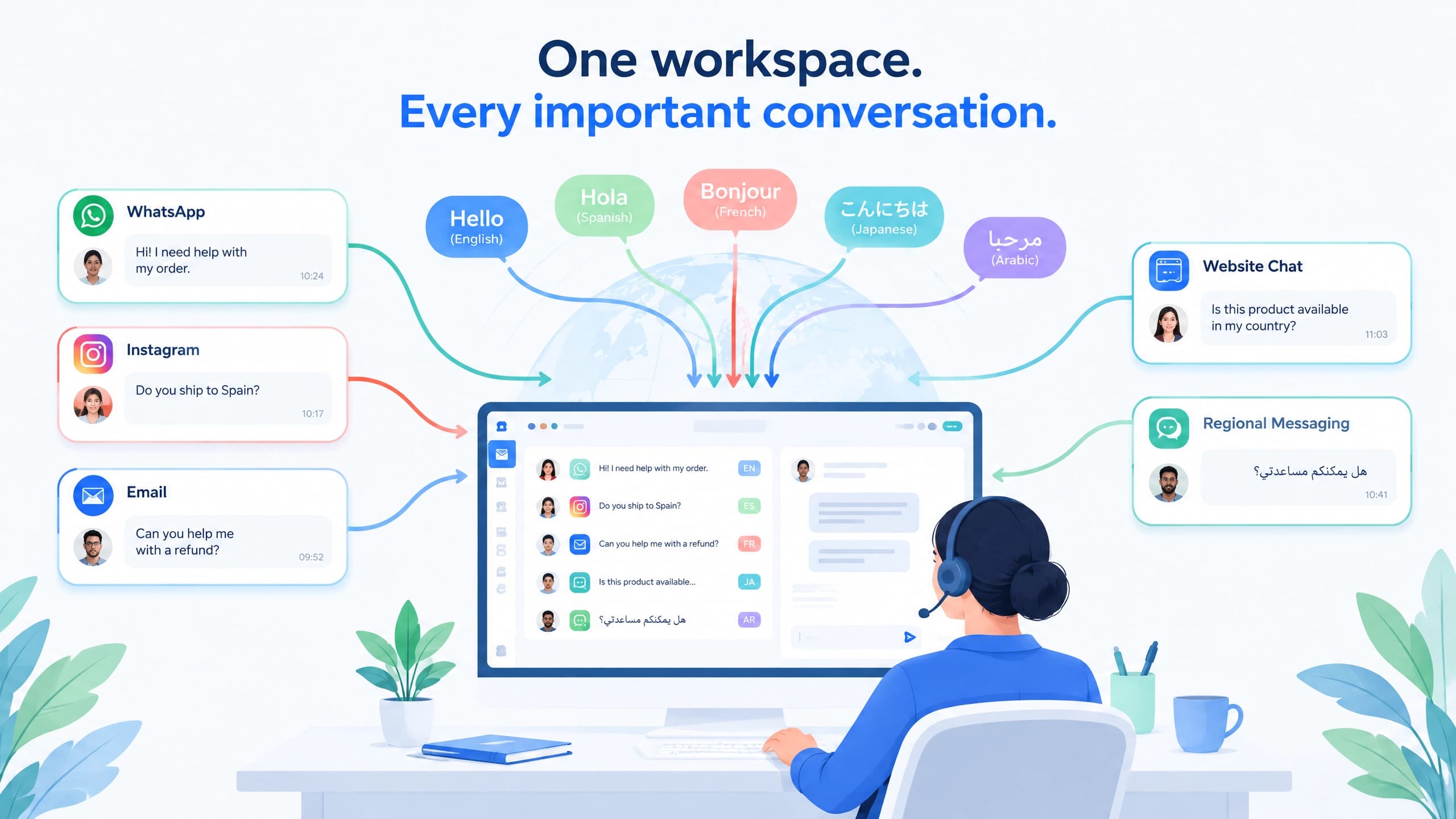
Start with the channels your customers actually use.
A platform may support dozens of channels, but that does not automatically make it a better choice.
Check whether the software supports the channels that matter to your business, such as:
WhatsApp
Instagram
TikTok
Facebook
Email
Website chat
Other regional messaging platforms
More importantly, check whether conversations from those channels can be managed consistently.
Look for:
One workspace
Conversation assignment
Customer identification
Shared history
Internal notes
Routing
Team collaboration
For example, an omnichannel chat system can help teams manage conversations from multiple channels without forcing agents to work in separate inboxes.
2. Multilingual Support
For global businesses, language support can be a practical requirement rather than a nice-to-have.
Check whether the platform can:
Detect customer languages
Translate incoming messages
Translate agent replies
Preserve conversation context
Support the languages your customers actually use
Real-time translation can be especially useful when a support team serves customers across several markets. Some platforms also let agents choose when translation should be used rather than translating every message automatically.
3. AI Capabilities
Do not evaluate AI based only on whether a platform says it has "AI."
Look at what the AI actually does.
Useful capabilities may include:
Reply suggestions
Conversation summaries
Knowledge retrieval
FAQ automation
Intent detection
Translation
Conversation routing
Automated customer responses
Human escalation
AI quality also depends heavily on the information it can access.
A customer service AI that cannot access accurate company information may produce generic or incorrect answers.
4. Can AI and Human Agents Work Together?
This is one of the most important questions to ask.
AI works well for repetitive and predictable requests. More complicated cases may require a human agent.
A good workflow might look like this:
Customer asks a question → AI handles the initial request → AI checks approved information → customer needs something more complex → conversation is transferred to a human agent with context preserved.
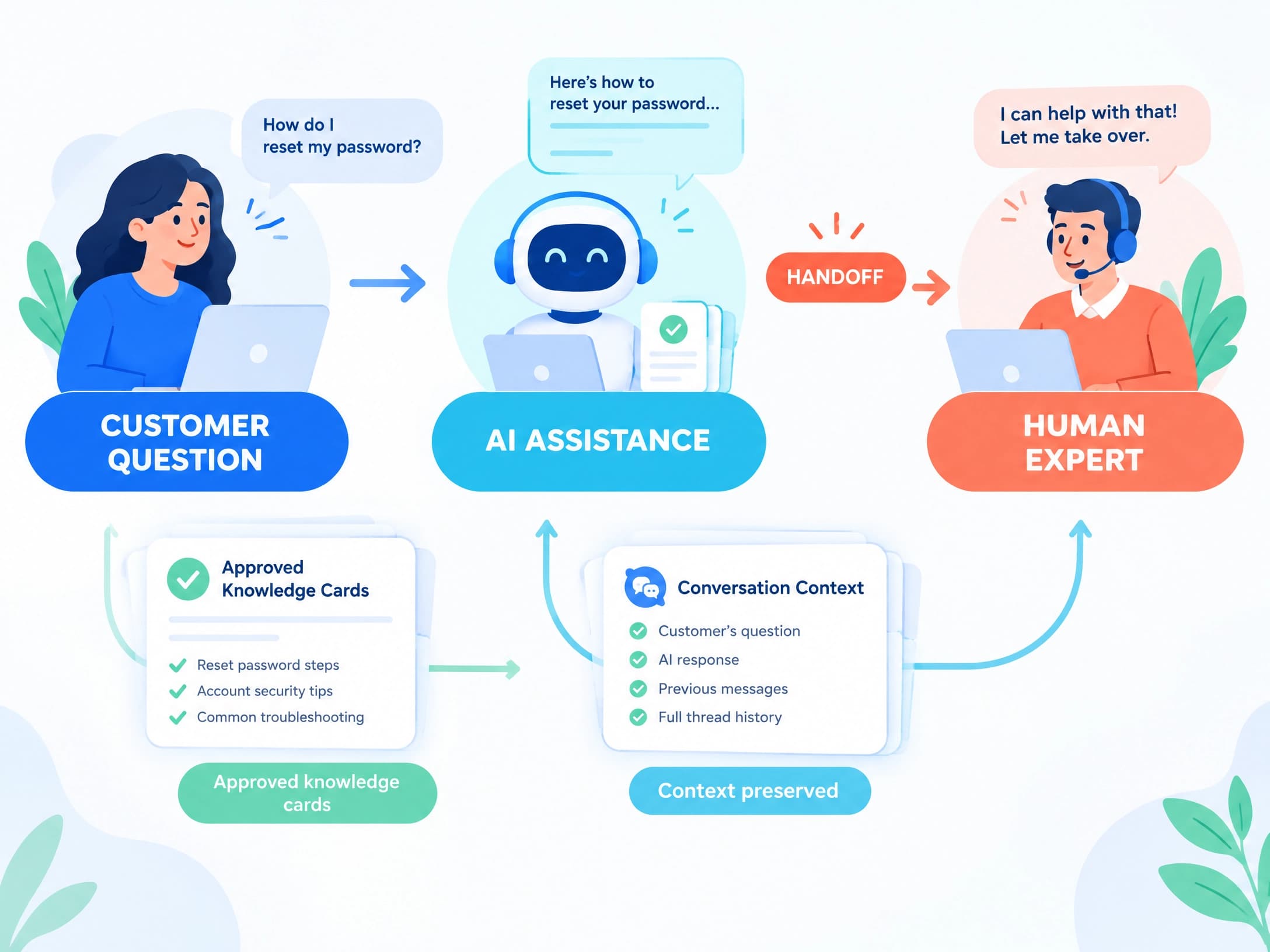
The handoff should not force the customer to repeat everything.
This approach is becoming common in modern customer service platforms. Salesforce, for example, describes AI agents working alongside human service teams rather than treating AI and human support as separate systems.
You should also check:
What triggers a handoff?
Can agents see the previous AI conversation?
Can AI use your approved knowledge?
Can agents take over manually?
Can AI be turned off for certain conversations?
5. Can the Platform Grow With Your Business?
A platform that works for 100 conversations per month may not work for 10,000.
Before choosing software, check:
Pricing as usage grows
Number of agents or seats
Channel limits
Contact limits
Automation limits
AI usage limits
API availability
Integration options
Reporting capabilities
Permission controls
Also consider how easy it is to export your customer data if you eventually move to another system.
How Are Different Types of Customer Service Tools Different?
Not every customer service tool is designed for the same job.
Tool type | Best for | Typical strengths | Possible limitation |
Lightweight support tool | Small teams | Simple inbox and basic support | Limited workflow depth |
Omnichannel platform | Businesses using multiple messaging channels | Centralized conversations and channel management | May require additional systems for advanced processes |
Helpdesk | Structured support teams | Tickets, SLAs, workflows, reporting | Can be more complex for conversation-first businesses |
CRM + customer service | Businesses needing customer and support data together | Customer profiles, history, segmentation | May require more setup |
Custom support system | Complex operations | Flexible workflows and integrations | Higher implementation and maintenance requirements |
The right choice depends on how your support operation works.
Don't Buy the Most Complicated System First
A common mistake is buying software based on the company's future needs instead of its current problems.
A better approach is to build your support operation in stages.
Stage 1: Solve the Basics
Focus on:
Centralizing conversations
Assigning conversations to agents
Keeping customer history
Supporting important channels
Handling basic language needs
Stage 2: Improve Efficiency
Once conversations are under control, add:
Knowledge base
AI assistance
Automation
Routing
Team collaboration
Self-service
For example, automation can reduce repetitive manual work once your basic support workflow is already organized.
Stage 3: Connect Your Business Systems
When support becomes more complex, consider:
CRM
Ticketing
SLA management
Reporting
API integrations
Customer segmentation
Order or account data
This is where customer service becomes part of a broader customer operations system.
5 Real-World Scenarios That Can Help You Decide
Scenario 1: Small International Team
You have a small team and customers contact you through WhatsApp, Instagram, and email.
Main problem: Conversations are scattered.
What to prioritize:
Shared inbox
Core channel integrations
Customer history
Translation
Basic automation
You probably do not need a complicated enterprise helpdesk yet.
Scenario 2: Growing E-commerce Business
Customer volume is increasing and agents repeatedly answer questions about shipping, returns, product availability, and order status.
Main problem: Too much repetitive work.
What to prioritize:
Knowledge base
AI assistance
Automation
Customer history
Order-related integrations
Scenario 3: Support Team With Multiple Agents
Several agents work on the same channels, but conversations sometimes get missed or duplicated.
Main problem: Poor team coordination.
What to prioritize:
Assignment rules
Routing
Shared inbox
Internal notes
Conversation ownership
Reporting
Scenario 4: Business Serving Many Countries
Your customers speak different languages and expect support in their local language.
Main problem: Language creates delays and increases workload.
What to prioritize:
Multilingual support
Real-time translation
Language detection
Localized knowledge content
Human review for complex cases
Scenario 5: Large Support Operation
Your support team manages large volumes of requests and needs formal processes.
Main problem: Support needs structure and accountability.
What to prioritize:
Ticketing
SLA management
Escalation workflows
CRM
Reporting
API integrations
Advanced automation
If WhatsApp is a major support channel, remember that WhatsApp Business has its own messaging and platform policies. Businesses should review the official WhatsApp Business messaging policy before building workflows around the channel.
10 Questions to Ask Before Choosing a Customer Service Platform
Before signing up or buying a plan, ask:
Which channels do we actually need?
Can all important conversations be managed in one workspace?
Can multiple agents work on the same customer without confusion?
Does the platform support the languages our customers use?
What can the AI actually automate?
How does AI hand conversations to human agents?
Can we connect our CRM, e-commerce platform, or other business systems?
What happens to pricing as our support volume grows?
Can we export our customer and conversation data?
Can the platform support our next stage without forcing us into unnecessary complexity today?
If you cannot answer these questions, it is probably too early to compare pricing alone.
How to Test Customer Service Software Before Committing
A demo can make almost any platform look good.
The better approach is to test it with your own support scenarios.
Step 1: Connect Your Main Channels
Start with the channels that generate the most customer conversations.
Step 2: Test Real Customer Questions
Use common questions from your actual support history.
Test both simple and complicated requests.
Step 3: Test AI Responses
Check:
Accuracy
Response quality
Knowledge retrieval
Language handling
Escalation behavior
Step 4: Test Human Handoff
Have an agent take over an AI conversation.
Check whether the agent receives enough context to continue without asking the customer to repeat everything.
Step 5: Test Team Workflows
Test assignment, routing, internal notes, permissions, and notifications.
Step 6: Test the Pricing Model
Do not only look at the starting price.
Calculate the likely cost based on:
Number of agents
Number of contacts
Message volume
AI usage
Channels
Automation
Integrations
Future growth
A cheaper starting plan can become expensive if important capabilities are locked behind usage limits or higher tiers.
Could SaleWisely Be a Starting Point for Your Evaluation?
If your main challenge is managing conversations across multiple channels before moving into a more structured support operation, SaleWisely can be one option worth testing.
Its approach combines omnichannel messaging with customer service features, automation, translation, AI, and CRM capabilities.
For example, teams can start with centralized conversations and later add more structured workflows as their needs grow. Its CRM capabilities can connect customer history and support interactions instead of keeping that information in separate tools.
The important point is not whether SaleWisely is the right choice for every business.
It is whether the platform fits your current stage, channels, support volume, and workflow requirements.
Frequently Asked Questions
What is the best customer service software for a global business?
There is no single system that is best for every global business.
A small team may prioritize omnichannel messaging and translation, while a larger support operation may need ticketing, SLAs, CRM, reporting, and integrations.
The right choice depends on your support stage and the problems you need to solve.
Do I need customer service software if most customers contact me through WhatsApp?
Possibly.
If one or two people manage a small number of conversations, WhatsApp alone may be enough.
As message volume increases, however, shared inboxes, customer history, assignment, automation, and reporting can become more useful.
What is the best customer service software for a small team?
Start with simplicity.
Look for a system that centralizes the channels you actually use, makes conversations easy to assign, and does not charge for features you do not need.
Will AI replace customer service agents?
AI can automate many repetitive support tasks, but complex cases still often require human judgment.
The more useful question is usually not whether AI replaces agents, but which parts of the support workflow AI can handle while keeping a clear path to human assistance.
How important is multilingual support?
It depends on your customer base.
If most customers speak the same language, it may not be a major requirement.
If you serve several countries, translation and multilingual knowledge content can significantly affect support efficiency.
Is expensive customer service software always better?
No.
A more expensive platform may offer more advanced functionality, but those features are only valuable if your team actually needs them.
For a small team, unnecessary complexity can make implementation harder rather than easier.
When should I move from a shared inbox to a helpdesk?
Consider moving when conversations start requiring formal processes such as ticket ownership, SLAs, escalation, structured reporting, or complex case management.
The transition should be driven by operational needs rather than company size alone.
What should I solve first when choosing customer service software?
Start with the biggest operational bottleneck.
If messages are scattered, centralize them.
If agents spend too much time answering repetitive questions, improve knowledge and automation.
If cases are becoming difficult to track, introduce ticketing and structured workflows.
If customer information is fragmented, connect CRM and business systems.
Conclusion: Choose the System That Fits Your Current Stage
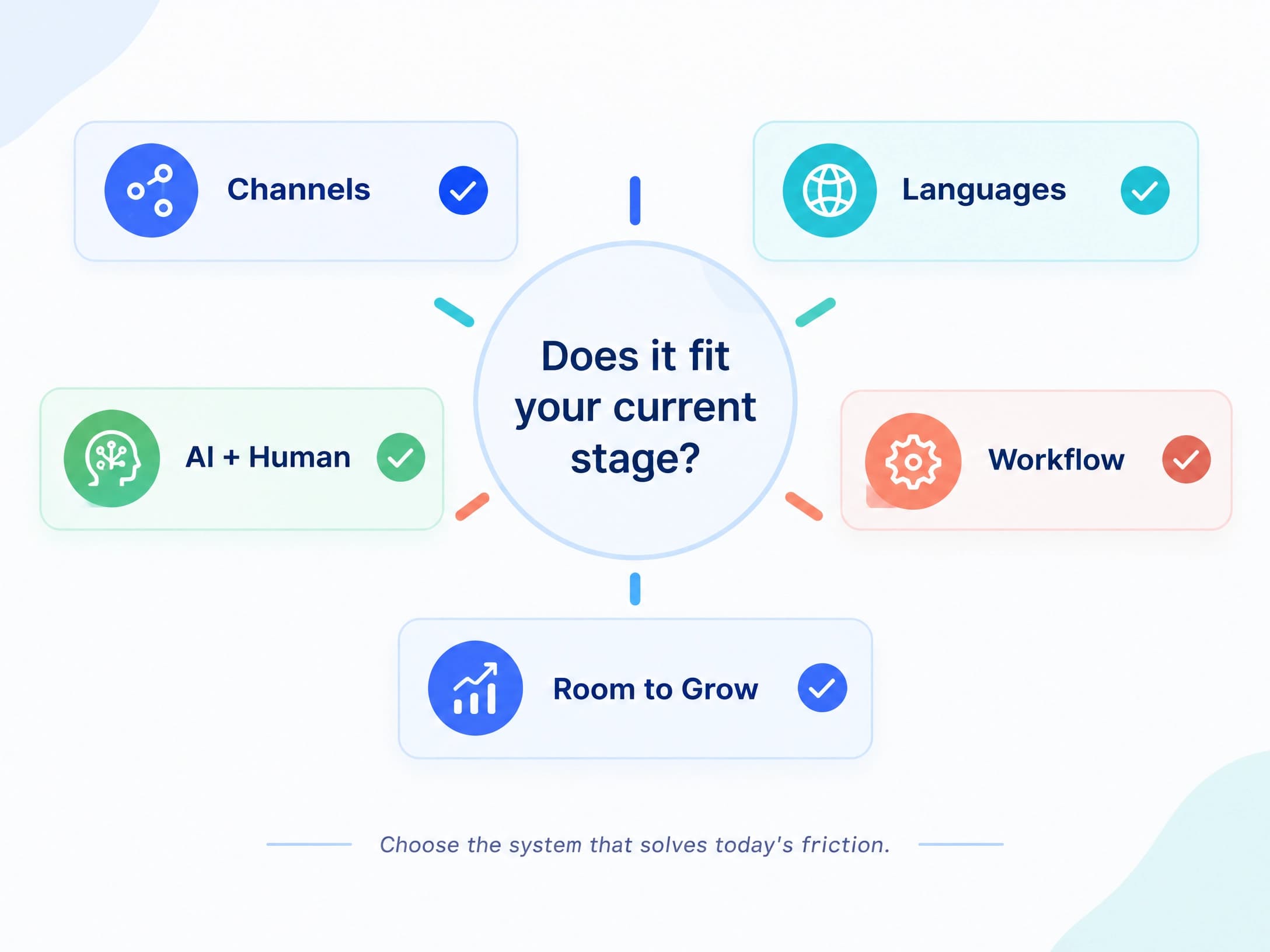
Choosing customer service software does not have to start with a comparison of dozens of platforms.
Start with three questions:
Where is your support operation today?
What is causing the most friction?
What will you need next as the business grows?
For an early-stage team, centralizing conversations may be enough.
For a growing team, AI, knowledge, automation, and collaboration can improve efficiency.
For a mature operation, ticketing, SLAs, CRM, reporting, and integrations may become essential.
The best customer service software is not necessarily the one with the longest feature list.
It is the one that solves your current problems, fits the way your team works, and gives you room to grow without adding unnecessary complexity.