1. Features Overview
The AI Robot can integrate AI agents installed from the app store (such as Coze, OpenAI Responses, and system AI knowledge bases) to create a chatbot and support usage on specified social media channel accounts.
2. Preparation Before Using the Robot
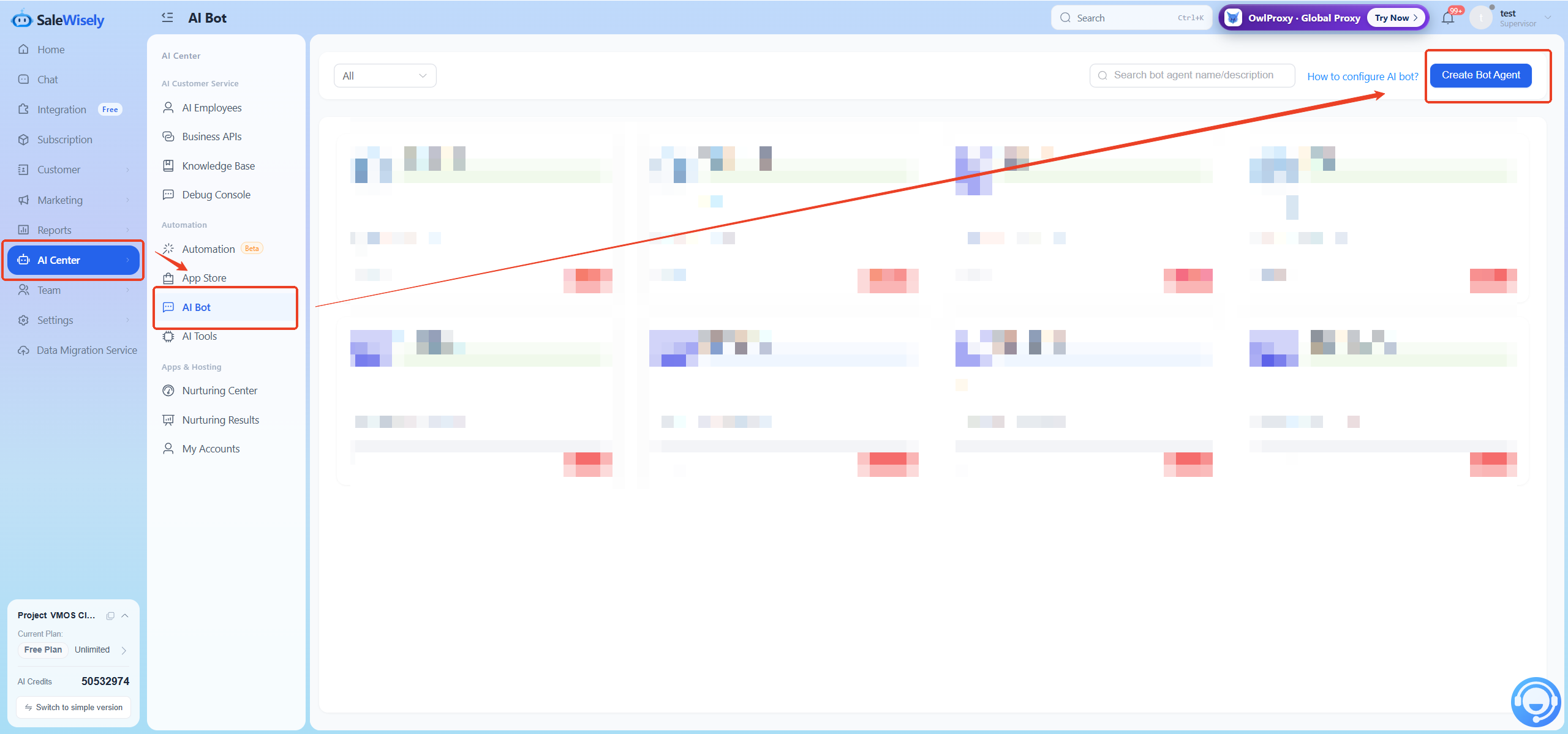
2.1 Create AI Robot
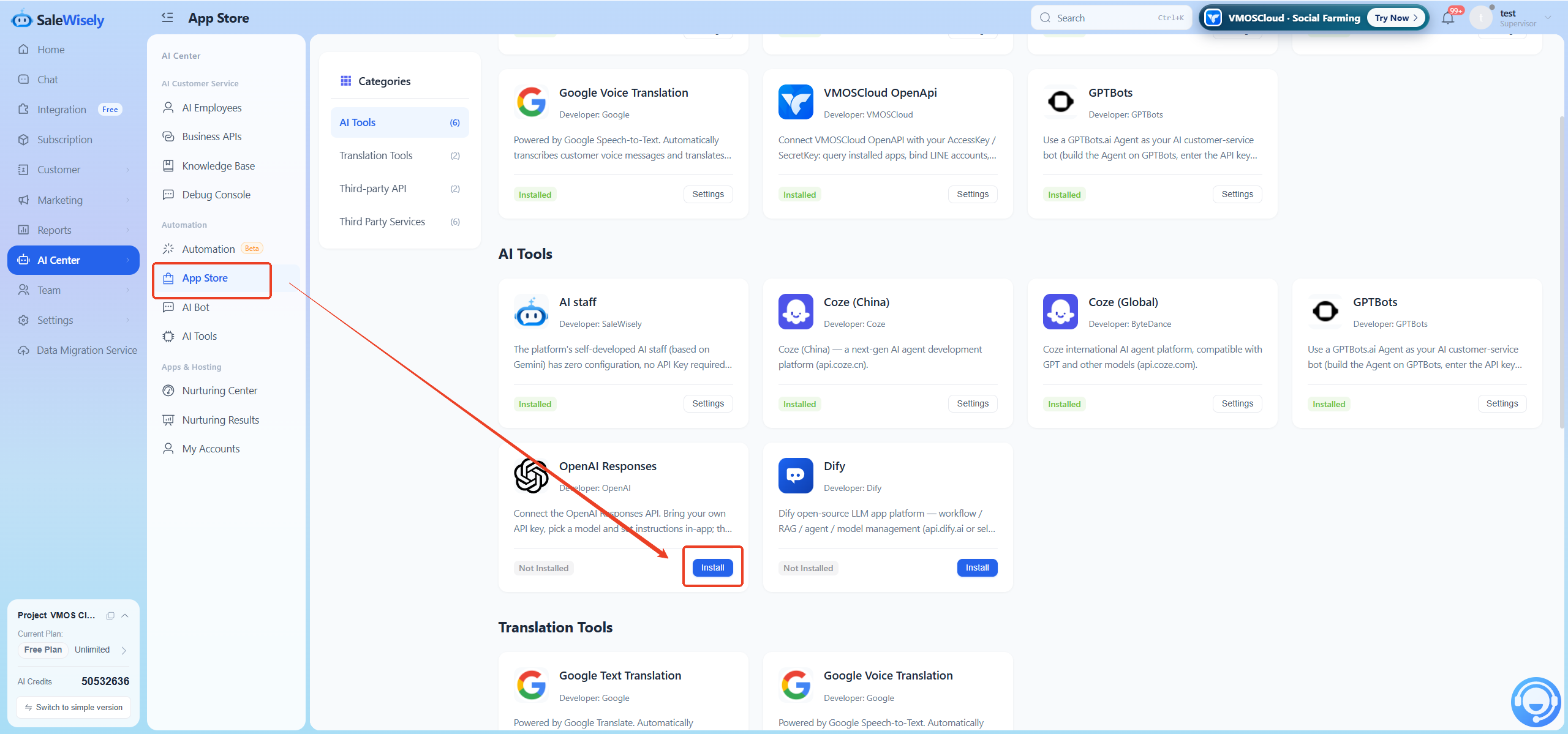
2.2 Install AI Agent from App Store
3. Robot Configuration
3.1 Create Robot
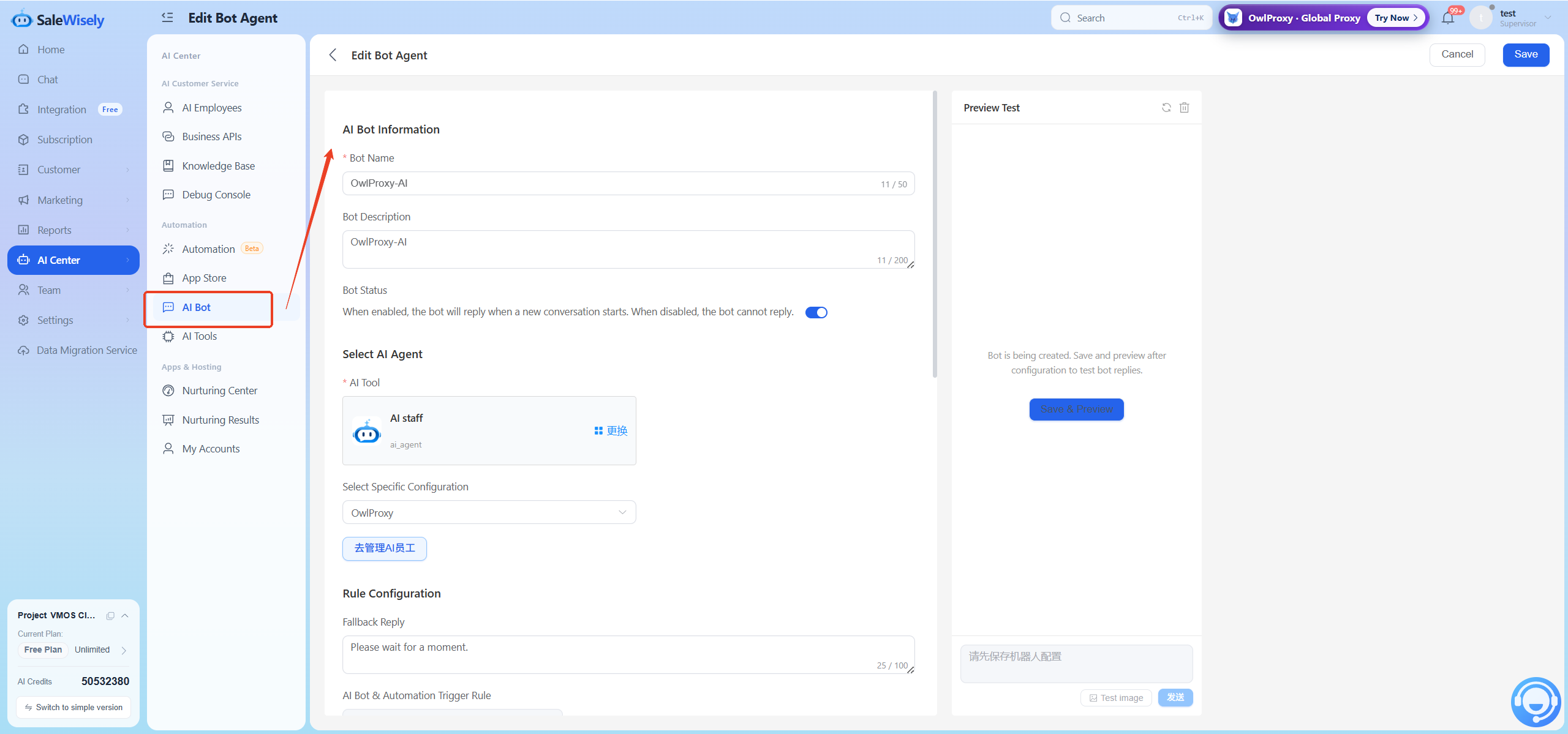
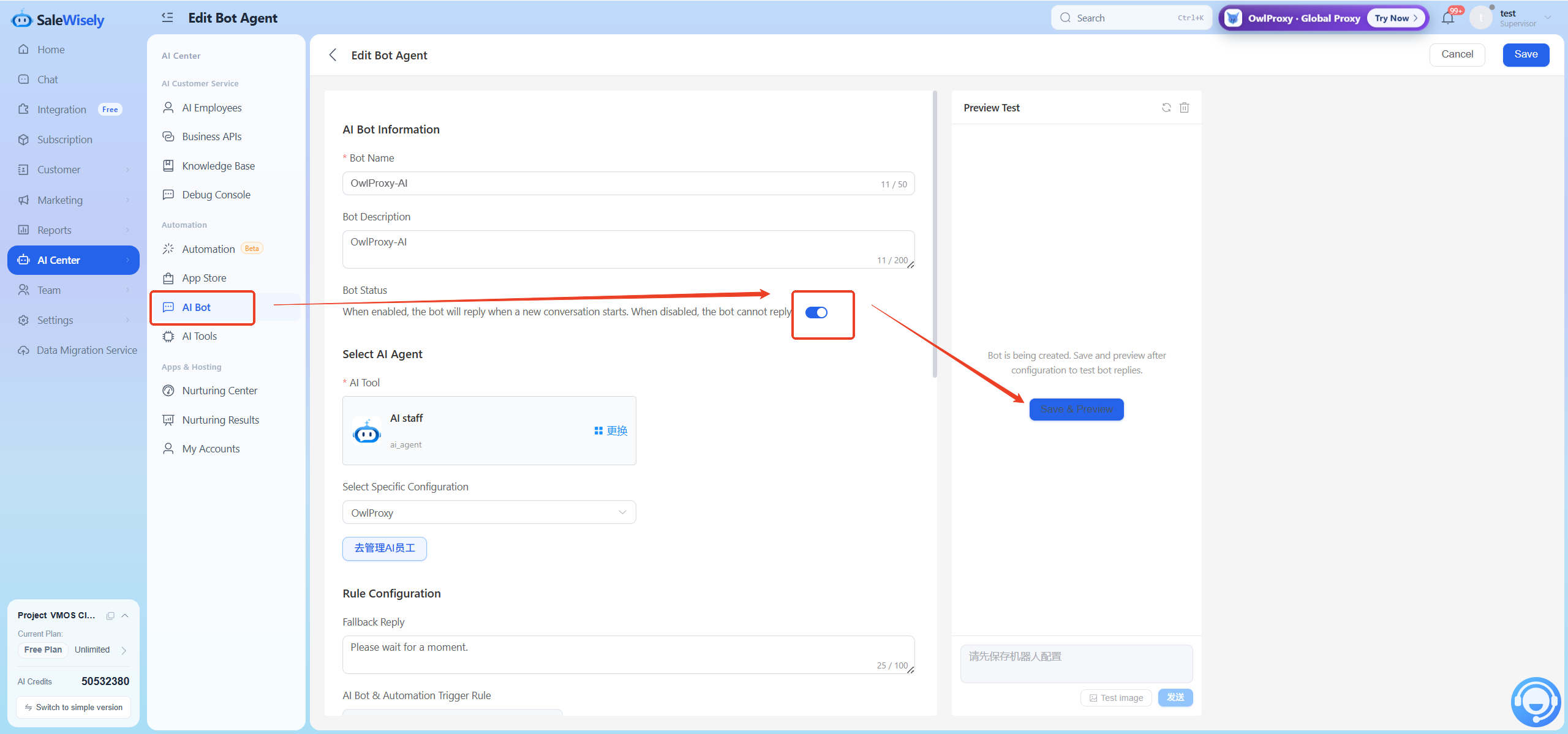
Click Create Robot in [Robot] - AI Robot, you can set the robot name and description for internal team identification, and configure the robot status.
Select the agent this robot will use. Agents installed from the app store will be displayed here. If an option cannot be selected, please install it first. Only one agent application can be selected.
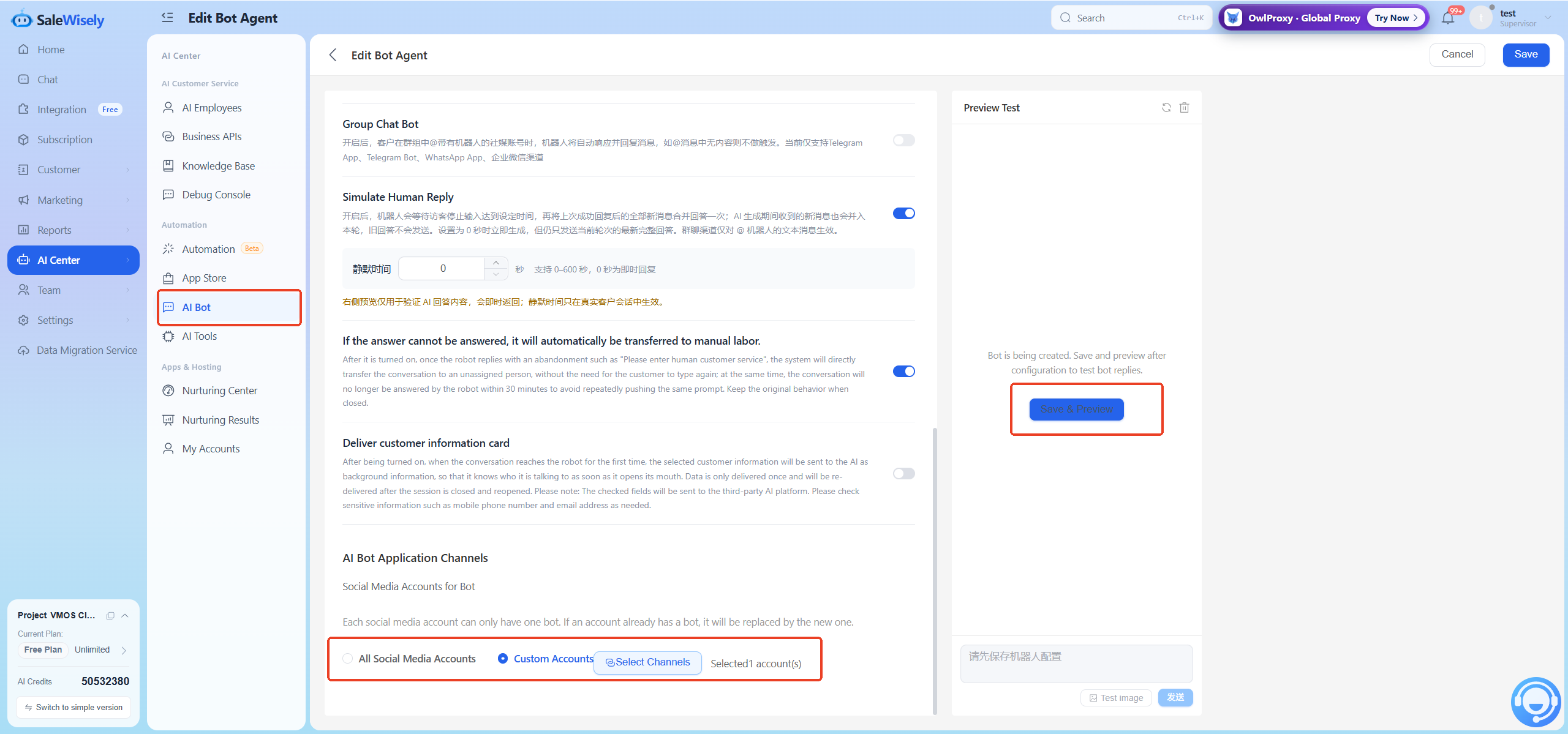
You can configure fallback replies and automation trigger rules for the robot.
3.2 Using the Robot
After a customer sends a message, if the robot status is enabled and the online chat hosting status is enabled, the robot will automatically reply to customer messages (online chat is not assigned, robot list is enabled by default and cannot be closed).
4. FAQ
Q1: Will feature updates affect already configured robots?
Feature updates do not affect historical robot configurations (they still trigger based on historical logic). Historical robots no longer support modification. Clicking Edit will reconfigure according to the new features.