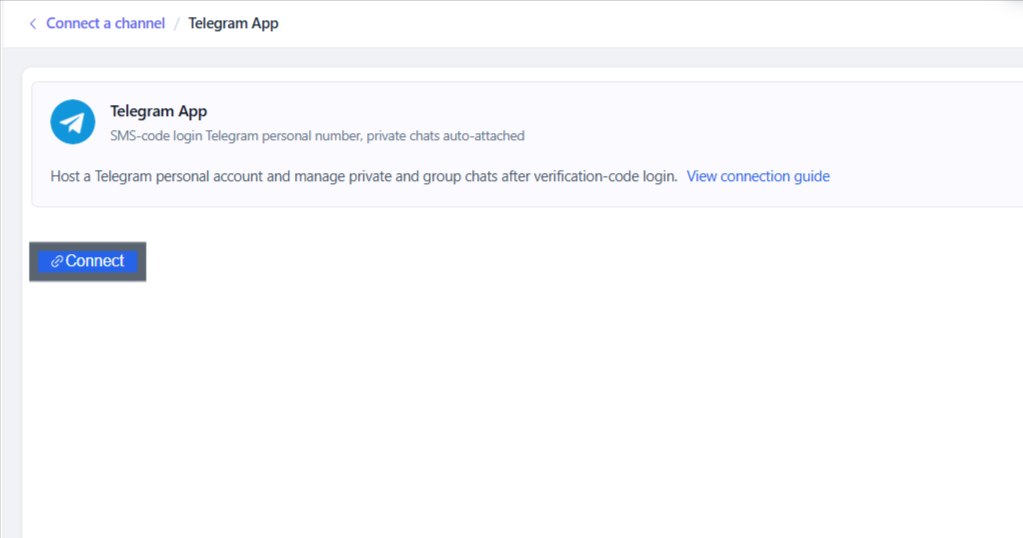
1. 登录 SaleWisely 平台,找到 { 集成→ 云托管账号→Telegram APP→ 连接 }。
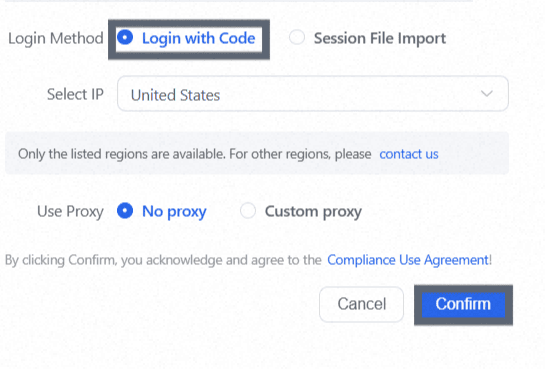
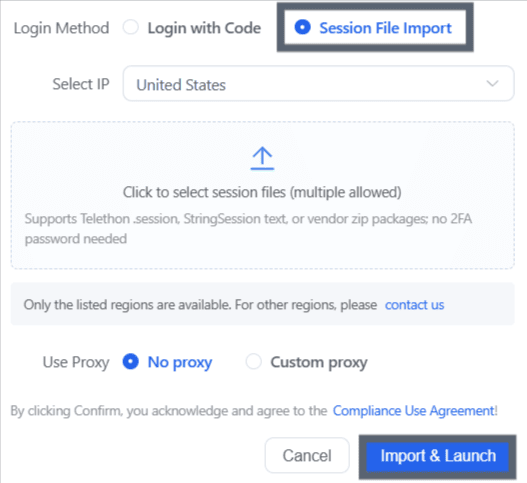
2. 登录 Telegram 有两种方式:
通过手机验证码登录(见说明)
使用 Telegram 会话文件登录(my_account.session)
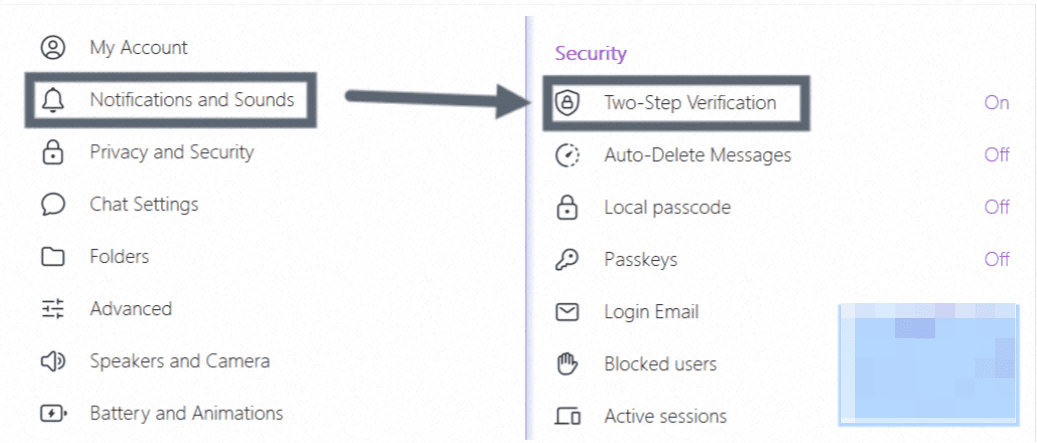
注意:使用验证码登录时,必须在 Telegram App 设置中关闭两步验证(2FA),否则授权会失败。
关闭步骤:Telegram App - 设置 - 隐私和安全 - 两步验证 - 关闭
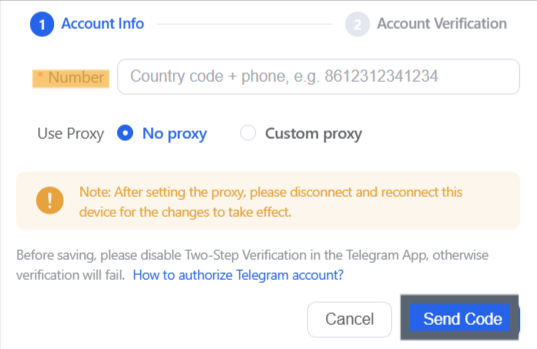
3. { 选择 IP 区域 } 作为账号登录 IP。选择 { 自定义代理 },如需添加代理,复制右侧的 {代理凭证} 粘贴进来,或手动添加。导入代理后,账号位置将以代理的出口 IP 地址为准。
4. 输入您的国家代码和手机号码,以 { 发送验证码 } .
请务必按正确格式填写手机号,不要带 + 号。格式错误可能收不到验证码,需删除设备后重新开始。
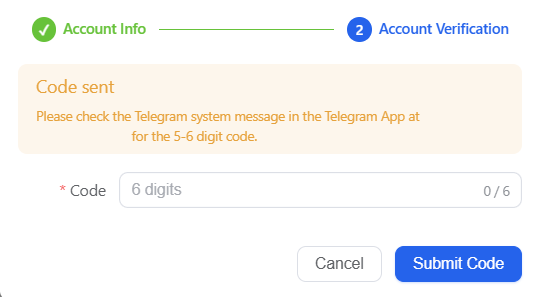
4. 之后查看 Telegram 账号,输入验证码,点击 { 提交验证码 } 完成此次连接,之后你会在 SaleWisely 中看到它。