Short definitions of the terms used across SaleWisely and this help center. When a help article uses a word you are not sure about, look it up here.
Tags: glossary, terminology, definitions
Workspace and navigation
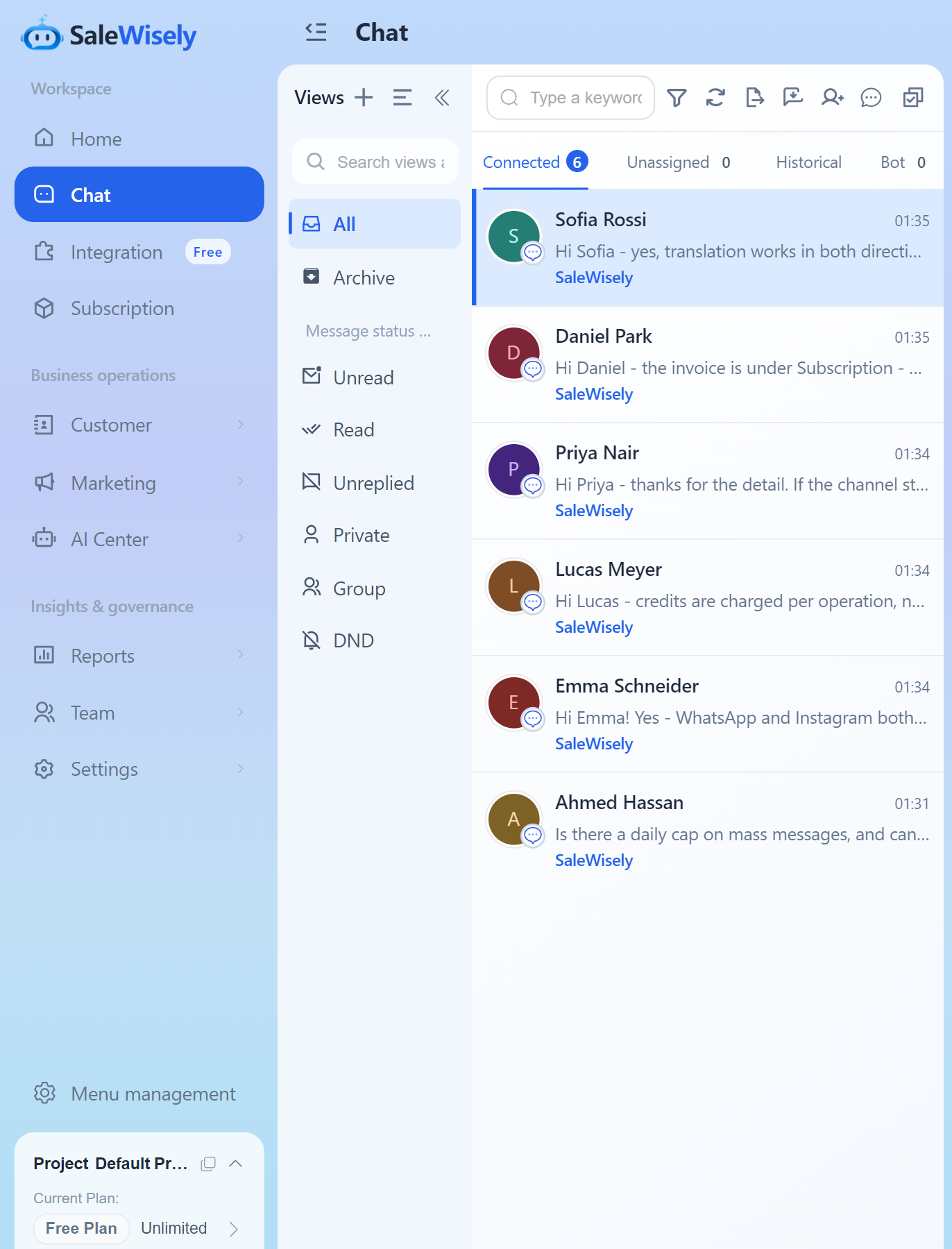
Workspace — the main SaleWisely interface you land in after signing in. The left sidebar holds the main entries: Home, Chat, Integration, Subscription, Customer, Marketing, Reports, AI Center, Team, and Settings.
View — a saved filter for the conversation list in Chat. Built-in views include All, Archive, Unread, Read, Unreplied, Private, Group, and DND; you can also create custom tag views.
Session assignment — the rule that decides which agent receives a new conversation. Controlled in Settings → System settings → Session assignment mode.
Auto-assign agents — when on, new sessions are distributed to online agents automatically; when off, new sessions wait in Unassigned for an agent to pick up.
Performance mode / Balance first — the two assignment strategies. Performance mode assigns by fewest unreplied sessions; Balance first assigns to the eligible online agent with the lowest load metric.
Load metric — the measure used to distribute work: Unreplied sessions or Active (accepted) sessions.
DND — "Do Not Disturb". A built-in view that hides conversations you do not want interruptions from.
Channels and accounts
Channel — a messaging service connected to SaleWisely, such as WhatsApp, Telegram, LINE, Instagram, Messenger, email, or your website chat plugin.
Channel Integration — the module where you connect channels. In the left sidebar it appears as Integration.
Cloud-hosted account — a social account that runs on a cloud device instead of your personal phone, so messages keep flowing without your phone staying online.
Cloud device — the hosted phone environment that a cloud-hosted account runs on.
VMOSCloud — a cloud phone service. You bind VMOSCloud cloud phones to SaleWisely to manage hosted accounts.
Warm-up — gradually building an account's sending activity and trust before heavy use, to reduce restriction risk. See the LINE and WhatsApp warm-up guides.
Website Chat Plugin — the live chat widget you embed on your website. Visitors message you from the widget and the messages arrive in your inbox.
Entry widget — an icon (Email, WhatsApp, Telegram, Discord, Facebook, Messenger and more) displayed alongside the chat widget that opens the corresponding channel.
AI and automation
AI employee — an AI agent configured with your knowledge base and reply rules that answers customer questions and hands off to humans when needed.
Knowledge base — the collection of business documents an AI employee uses to answer: company info, products, FAQs, policies.
AI credits — the metered unit used to pay for AI features: translation, speech recognition, text-to-speech, AI replies, summaries, tagging and more. Free accounts get a one-time grant; paid plans grant credits monthly.
Booster pack — a one-time purchase of extra AI credits, bought from Subscription → My plan without changing your plan.
Wallet balance — the prepaid balance used to pay for booster packs and subscriptions.
Daily consumption — the Subscription page table that lists AI credit charges per day, service, count, and characters.
Translation master — the master switch for workspace-wide translation. When off, messages are no longer translated anywhere.
Translation engine — the service that performs translation, such as Google, DeepL, Youdao, or AI translation.
Automation flow — a rule chain built in AI Center → Automation, made of a trigger condition, actions, and an end condition.
Trigger / Action / End condition — the three parts of a flow: what starts it, what the system does automatically, and when it stops or hands off to a human.
Team and security
Agent management — the Team page where members are added, roles are assigned, and shifts are set.
Internal note — a comment visible to teammates only, added to a conversation to record customer needs and progress.
Two-factor authentication (2FA) — an optional sign-in verification step using Google Authenticator, enabled in system settings.